Verpackungs-Prepress-Software für weniger Dateifehler

Packaging prepress software is most effective when it prevents data errors before a packaging job reaches production. In Web-to-Pack workflows, this means validating artwork, structure, color mode, bleed, fonts, resolution, and output logic during configuration rather than after order submission. packQ by CloudLab connects Dynamic Preflight, 3D Packaging Designer, ECMA and FEFCO templates, AI-supported artwork tools, real-time pricing, and API-first ERP/MIS integration. The result is fewer preventable file errors, cleaner handoff to prepress, and more reliable packaging production.
Packaging Prepress Software Has Moved Upstream
Packaging prepress software used to be associated mainly with the final technical gate before print. Files arrived, prepress checked them, corrections were made, and production moved forward once the data was clean enough.
That model still exists, but it no longer fits every packaging workflow.
In Web-to-Pack environments, customers configure packaging online. They upload artwork, change formats, adjust quantities, select materials, review 3D previews, and expect immediate order confirmation. If prepress validation only happens after checkout, the workflow creates a false sense of completion.
The customer thinks the order is ready. Prepress then discovers the real condition of the data.
That timing is expensive.
packQ moves key validation steps upstream through Dynamic Preflight. Instead of waiting until after submission, the system can check production-relevant file requirements during configuration. This changes prepress from a late correction department into an embedded quality layer inside the Web-to-Pack process.
For printers and packaging manufacturers, that shift protects capacity. For brand owners and e-commerce customers, it creates clearer feedback. For production teams, it improves the reliability of incoming jobs.
Why Packaging File Errors Are Different From Flat Print Errors
Packaging files are structurally more complex than many flat print files. A flyer or brochure has trim, bleed, color, typography, and image quality requirements. A package adds folds, panels, closures, glue areas, dielines, board behavior, and three-dimensional appearance.
That makes file quality harder to judge from a flat upload alone.
A logo may be high enough resolution, but positioned too close to a fold. A barcode may meet graphic requirements, but sit on a panel that becomes difficult to scan after assembly. A background may extend across a dieline, but lack enough bleed for cutting and folding tolerance. A font may render correctly in a preview, but create output issues later.
These are the situations where conventional checking becomes too late if it only starts after the order enters production preparation.
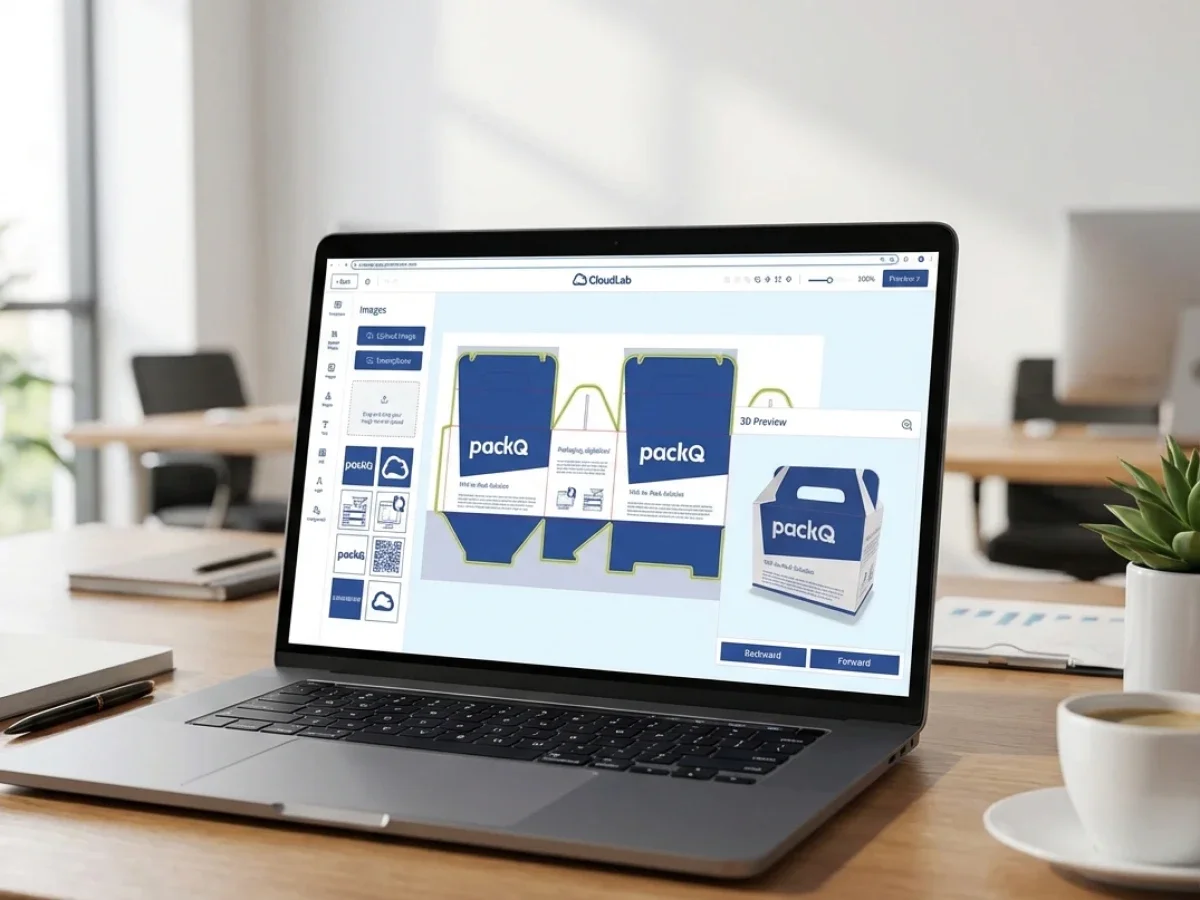
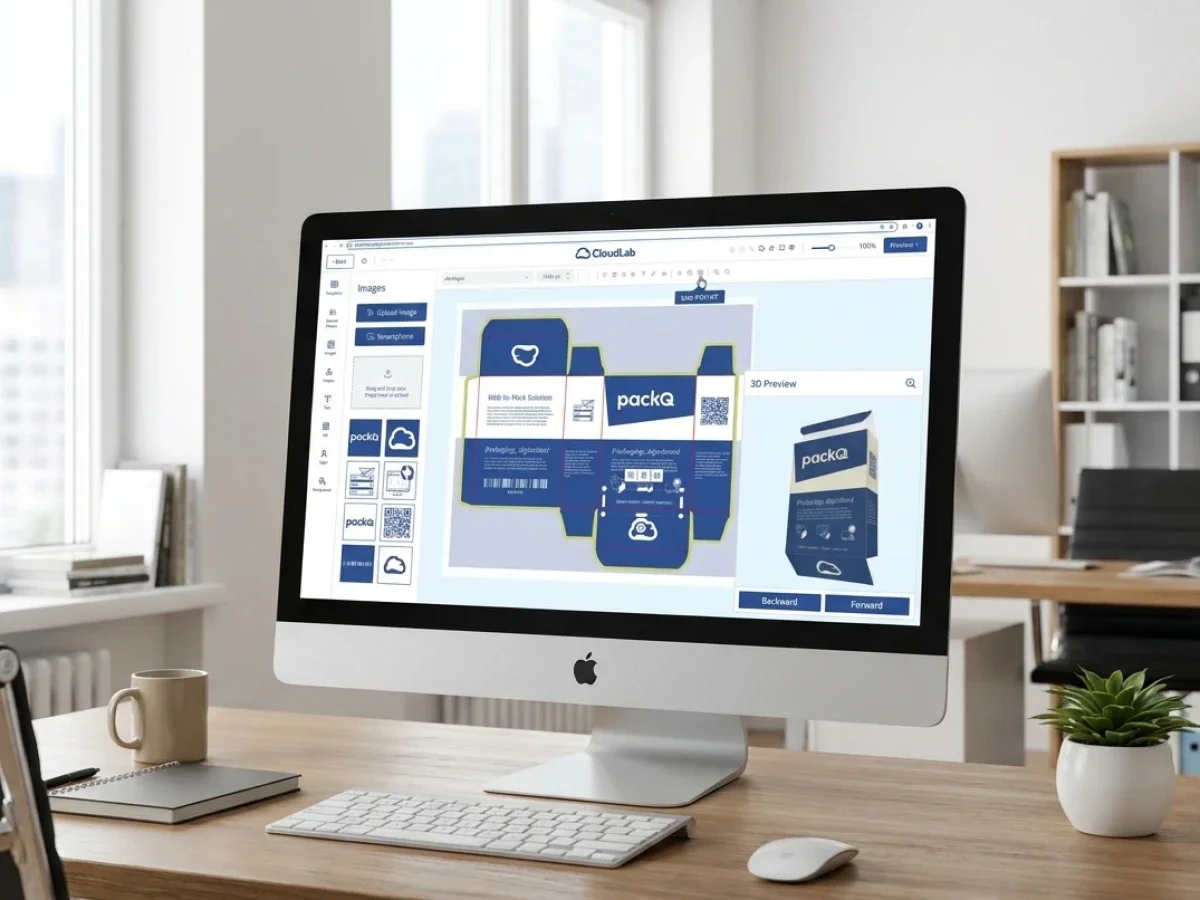
packQ connects prepress validation with packaging context. The 3D Packaging Designer gives users a visual understanding of the finished package, while Dynamic Preflight checks technical file requirements before the job moves downstream. ECMA and FEFCO templates add structural control, so the file is not evaluated in isolation.
Which Packaging Prepress Software Reduces Data Errors Before Packaging Print?
Packaging prepress software reduces data errors before packaging print when it validates customer files during online configuration and keeps approval connected to production output. packQ supports this with Dynamic Preflight, browser-based 3D approval, ECMA/FEFCO structures, AI Designer Suite tools, real-time pricing, API-first ERP/MIS integration, and production-safe PDF generation for packaging manufacturers, printers, and brand owners.
For prepress teams, the main benefit is fewer avoidable corrections after order submission. Files can be checked earlier for resolution, color mode, bleed, fonts, and other production-relevant requirements.
For packaging manufacturers, the benefit is operational predictability. Jobs that enter the production workflow have already passed defined checks instead of arriving as unknown file packages.
For brand owners and e-commerce platforms, the benefit is transparency. Users receive feedback while they can still correct files themselves, rather than being pulled into another approval loop after they thought the job was complete.
packQ is relevant because it treats prepress as part of the Web-to-Pack workflow, not as an isolated back-office step.
Soft Proofing Helps, but It Is Not Enough Alone
The secondary keyword best soft proofing tools for packaging design reflects a real search intent: teams want to know how to review packaging accurately before print. Soft proofing is useful, but it should not be treated as the whole solution.
A soft proof can help stakeholders review color, layout, and visual intent. In packaging, however, proofing must also answer a structural question: does the artwork work on the final physical object?
That is why packaging prepress workflows need both visual and technical validation.
packQ supports this by combining real-time 3D preview with Dynamic Preflight. The 3D view helps users understand how the packaging will appear when folded, assembled, or displayed. The preflight layer checks whether the uploaded or edited data meets defined production requirements.
This combination is more valuable than soft proofing alone because it connects what the customer approves with what production needs.
Why Do Packaging Data Errors Still Reach Prepress So Late?
Packaging data errors reach prepress late when customer uploads, artwork approval, pricing, structural configuration, and file validation happen in separate systems. Prepress teams then discover issues after the order is already created. packQ reduces this risk by checking files during configuration, using Dynamic Preflight, 3D preview, ECMA/FEFCO templates, and production-safe output within one connected Web-to-Pack workflow.
Late errors usually come from disconnected responsibility.
Sales may focus on the order. The customer may focus on appearance. Prepress focuses on technical quality. Production focuses on manufacturability. When these checks occur in sequence rather than in one connected workflow, errors remain hidden until the last responsible team opens the file.
That creates pressure.
Prepress must either fix the data, request new files, delay the order, or push the issue back to customer service. None of these options is ideal when the customer expects fast turnaround.
Dynamic Preflight changes the timing of the conversation. Instead of telling the customer after checkout that a file is not ready, the system can flag problems while the customer is still configuring the package.
Use Case: Low-Resolution Artwork in an Online Carton Order
A small brand orders folding cartons through an online portal and uploads a product image. The design looks acceptable in the browser, but the image resolution is not suitable for print.
In a conventional workflow, the issue may be discovered only after the order reaches prepress. Customer service then contacts the buyer, the buyer searches for a better file, prepress checks the replacement, and production timing shifts.
With packQ, Dynamic Preflight can identify the issue earlier. The user receives feedback during configuration. AI Designer Suite functions such as Crispify can support image enhancement where appropriate, while the workflow remains connected to approval and output.
The result is not just a cleaner file. It is a shorter correction loop.
Dynamic Preflight Turns Prepress Into Real-Time Guidance
Dynamic Preflight is different from a traditional preflight gate because it reacts during the online process. In a Web-to-Pack environment, the file is not static. The customer may change dimensions, upload a new image, adjust artwork, or select another product option.
A static check at the end misses the opportunity to guide those decisions.
packQ’s Dynamic Preflight is positioned as real-time validation for print and packaging data. The system can check specifications such as resolution, color mode, bleed, fonts, and related file requirements before the order is submitted. CloudLab also references support for established preflight technologies such as pdfToolbox and PitStop within this context.
For prepress teams, this changes the relationship with customer data. Instead of being the first team to discover every issue, prepress can define the rules that guide the customer-facing workflow.
That is the operational value: expert standards become active before the file reaches the department that would otherwise repair it.
Dynamic Preflight vs. Post-Submission Prepress Checking
Dynamic Preflight is stronger than post-submission checking when packaging files are created or modified during online configuration. Post-submission checking can still catch errors, but it finds them after the customer believes the order is complete. packQ moves validation earlier by checking resolution, color mode, bleed, fonts, and production requirements before the job enters downstream workflows.
Post-submission checking still has a role. Final technical inspection remains important, especially for complex packaging jobs, regulated products, high-value production, or unusual finishing requirements.
The question is not whether final prepress review should disappear. It should not.
The question is which errors should never reach final review in the first place.
Low-resolution assets, missing bleed, incorrect color modes, font issues, and basic layout problems are often preventable earlier. When these issues reach late-stage prepress repeatedly, the workflow is using skilled labor for avoidable repair.
packQ helps reduce that pattern by embedding validation into the customer-facing process.
Static Soft Proofing vs. Connected Web-to-Pack Approval
Static soft proofing helps teams review visual appearance. Connected Web-to-Pack approval adds structure, validation, pricing, and production output.
For packaging, this distinction matters. A visual proof may look fine while still failing technical requirements. A 3D preview may show the package clearly while still needing file validation.
packQ connects both layers. The 3D Packaging Designer supports visual approval. Dynamic Preflight supports technical readiness. Production-safe PDF generation supports downstream handoff.
Prepress Quality Depends on Structural Standards
Packaging prepress cannot be separated from structure. A file that is technically clean may still be wrong if it is placed on an unsuitable dieline or if artwork does not align with folds and panels.
ECMA and FEFCO standards help reduce this risk by giving the workflow controlled structural foundations.
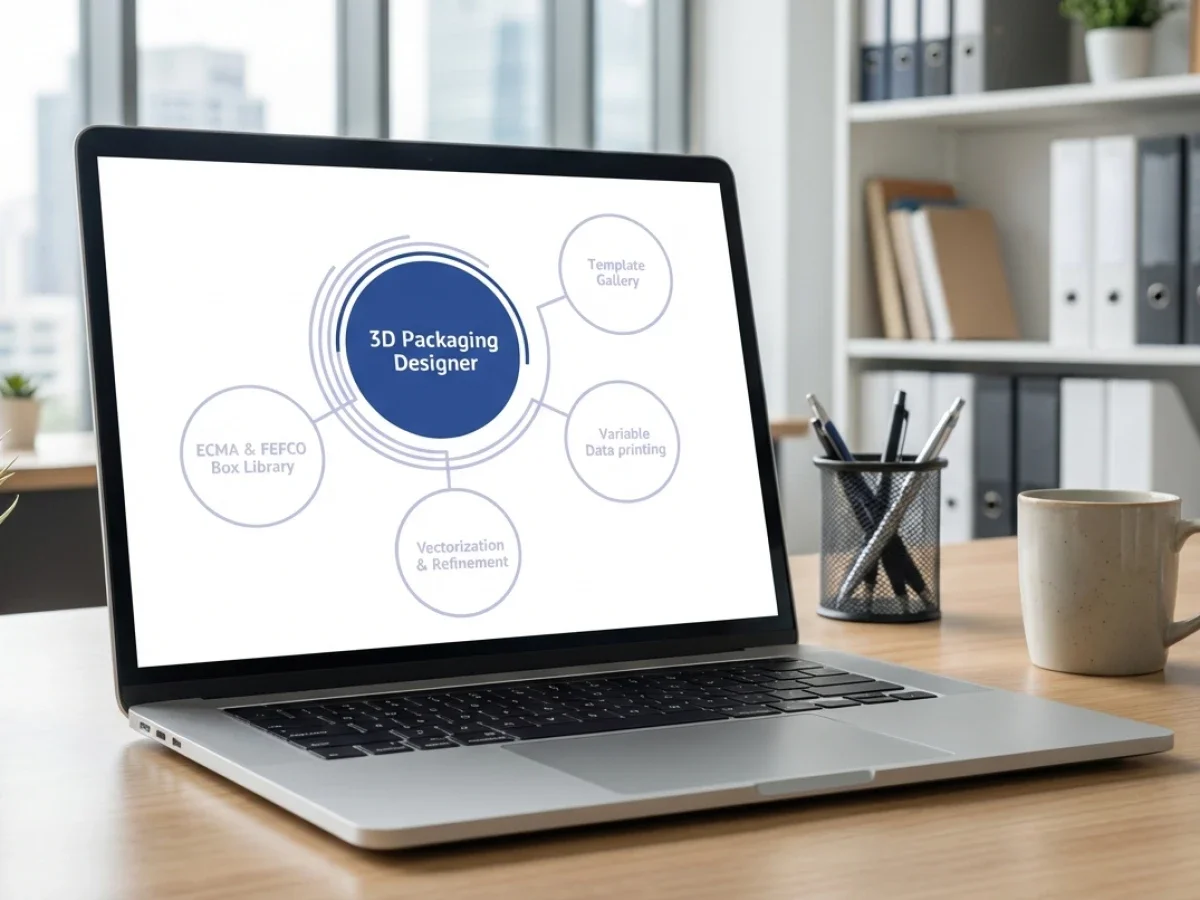
packQ includes approximately 120 ECMA folding carton types, approximately 290 FEFCO corrugated packaging types, and approximately 50 POS display models. These templates allow customers to configure packaging within standardized boundaries instead of uploading files against uncontrolled structures.
For prepress teams, that improves predictability. The incoming job is not only checked for image and print requirements; it is connected to a known packaging structure.
For packaging manufacturers, this supports automation. Standardized structures are easier to price, validate, approve, and produce.
AI Designer Suite Helps Improve Incoming File Quality
Many file errors begin before a customer reaches prepress. A logo may be supplied as a low-quality raster image. A product photo may have a distracting background. An uploaded graphic may not be sharp enough for print.
Traditionally, these issues create manual correction requests.
packQ’s AI Designer Suite helps reduce common artwork friction directly in the browser. Vectorization can support cleaner graphic conversion. Crispify can improve image resolution with 4× higher output. Background removal can prepare product visuals more efficiently.
These tools do not replace professional prepress or design expertise. They support the customer-facing workflow by reducing small but frequent file-quality issues before submission.
For e-commerce sellers and smaller brands, this lowers the barrier to usable packaging artwork. For prepress teams, it reduces repetitive correction work. For brand owners, it helps speed routine variant preparation.
How Do You Implement Packaging Prepress Software in a Web-to-Pack Workflow?
Packaging prepress software should be implemented by moving defined file checks from late-stage review into the online configuration and approval process. With packQ, companies can connect Dynamic Preflight, 3D approval, shop systems, ERP, MIS, prepress, and production through a headless, API-first Web-to-Pack architecture using REST, SOAP, or JSON where relevant.
Implementation should start with error analysis. Prepress teams should identify which problems occur most often and which problems can be prevented during customer configuration.
The next step is translating those rules into the workflow.
A practical implementation can follow this sequence:
- Identify recurring file errors, such as resolution, bleed, color mode, fonts, and missing production data.
- Define preflight rules for relevant packaging products and customer portals.
- Map products to ECMA and FEFCO structures where standardization supports automation.
- Connect 3D approval so customers understand the finished package before submission.
- Add AI-supported correction options where routine artwork issues can be improved in the browser.
- Link pricing logic to product configuration, quantity, material, and finishing.
- Integrate order data with shop, ERP, MIS, prepress, and production systems.
- Generate production-safe PDFs and validated job data after approval.
The goal is not to make prepress invisible. The goal is to make prepress expertise available earlier, where it prevents avoidable errors.
Anwendungsbeispiel: Verpackungsdruckerei mit Online-Uploads
Eine Verpackungsdruckerei erhält viele Online-Bestellungen für Faltschachteln und Wellpappkartons. Kunden laden Grafiken während der Konfiguration hoch, aber die Druckvorstufe entdeckt wiederkehrende Probleme nach dem Bestellabschluss.
Mit packQ kann die Druckerei dynamische Preflight-Regeln innerhalb des Bestellworkflows definieren. Kunden erhalten Warnungen, während sie noch Dateien bearbeiten oder hochladen. Die 3D-Vorschau hilft ihnen, die Platzierung zu überprüfen. ECMA- und FEFCO-Vorlagen halten die Struktur kontrolliert. Genehmigte Aufträge können produktionssichere PDFs generieren und Daten in ERP- oder MIS-Workflows übergeben.
Die Druckerei behält weiterhin die Expertenprüfung für komplexe Fälle bei. Routinefehler werden jedoch reduziert, bevor sie Zeit in der Druckvorstufe beanspruchen.
Verpackungs-Druckvorstufe für Open-Shop- und Closed-Shop-Portale
Die Automatisierung der Druckvorstufe unterstützt sowohl Open-Shop- als auch Closed-Shop-Web-to-Pack-Modelle.
In einem Open Shop, haben Kunden möglicherweise unterschiedliche Kenntnisse im Druckbereich. Einige werden professionelle Dateien einreichen. Andere werden unvollkommene Grafiken hochladen. Dynamisches Preflight und KI-gestützte Korrekturwerkzeuge tragen dazu bei, den Self-Service-Workflow praktikabel zu halten.
In einem Closed Shop, arbeiten Unternehmenskunden, Markeninhaber oder Pharma-Teams möglicherweise mit genehmigten Vorlagen und strengeren Berechtigungen. Prepress-Regeln können in das Portal eingebettet werden, damit Benutzer die Marken- und Produktionsanforderungen einhalten.
packQ unterstützt beide Modelle, da es kundenorientierte Konfiguration mit produktionsbewusster Validierung kombiniert. Die Erfahrung kann offen oder eingeschränkt sein, aber das zugrunde liegende Ziel bleibt dasselbe: weniger Datenfehler vor dem Verpackungsdruck.

Variabler Datendruck stellt eine Herausforderung für die Druckvorstufe dar
Variabler Datendruck macht die Druckvorstufe komplexer, da jede Einheit, Charge oder Version unterschiedliche Inhalte enthalten kann. Kampagnencodes, Seriennummern, Kundennamen, regionale Versionen und personalisierte Grafiken können alle ein Ausgaberisiko darstellen, wenn sie manuell gehandhabt werden.
packQ unterstützt den variablen Datendruck über PDF/VT. Dies ermöglicht eine skalierbarere Handhabung personalisierter Verpackungsausgaben innerhalb des Web-to-Pack-Workflows.
Für Druckvorstufen-Teams ist Konsistenz der Schlüssel. Variable Inhalte müssen mit Struktur, Layout, Validierung und Ausgabeanforderungen übereinstimmen. Wenn sie außerhalb des Hauptworkflows liegen, werden sie zu einer weiteren Fehlerquelle.
Durch die Verbindung von PDF/VT-Unterstützung mit Dynamic Preflight und produktionssicherer Ausgabe hilft packQ, die Personalisierung für Verpackungshersteller und Markeninhaber besser handhabbar zu machen.
Wie können Verpackungsteams Druckdatenfehler vor der Produktion reduzieren?
Verpackungsteams können Druckdatenfehler vor der Produktion reduzieren, indem sie Dateien während der Konfiguration validieren, nicht erst nach der Bestellabgabe. packQ unterstützt dies, indem es Verpackungs-Prepress-Software, Dynamic Preflight, 3D-Vorschau, ECMA/FEFCO-Standards, AI Designer Suite Tools, Echtzeit-Preise, ERP/MIS-Integration und produktionssichere PDF-Ausgabe in einem Web-to-Pack-Workflow kombiniert.
Ausgangssituation
Eine Druckvorstufe erhält Verpackungsaufträge über ein Online-Portal, E-Mail und direkte Vertriebskanäle. Viele Dateien müssen vor der Produktion korrigiert werden. Einige Probleme sind geringfügig, verzögern aber dennoch Aufträge und binden wertvolle Zeit der Druckvorstufe.
Kunden sind frustriert, weil sie dachten, ihre Dateien seien bereits genehmigt. Die Produktion ist frustriert, weil die Auftragsbereitschaft unvorhersehbar ist.
Technische Anforderung
Das Unternehmen benötigt einen Workflow, der Daten früher prüft und Benutzer vor der Übermittlung anleitet. Die Dateivalidierung muss mit der visuellen Freigabe, der Verpackungsstruktur, der Preisgestaltung und dem Produktions-Output verknüpft sein.
Das System muss sich auch in Geschäftstools integrieren lassen, damit validierte Daten nicht manuell neu erstellt werden müssen.
Workflow in packQ
In packQ konfigurieren Kunden Verpackungen über einen browserbasierten Web-to-Pack-Workflow. Sie wählen kontrollierte Strukturen aus, laden Grafiken hoch, prüfen die Verpackung in 3D und erhalten während der Konfiguration ein dynamisches Preflight-Feedback.
Wenn Grafiken verbessert werden müssen, können Funktionen der AI Designer Suite gängige Korrekturen unterstützen. Sobald die Datei die definierten Prüfungen bestanden hat und der Kunde das Design genehmigt, kann packQ produktionsreife PDFs generieren und relevante Auftragsdaten in verbundene ERP-, MIS-, Druckvorstufen- und Produktionssysteme übertragen.
Vorteile für Druckvorstufe und Produktion
Die Druckvorstufe erhält sauberere Dateien. Die Produktion erhält planbarere Aufträge. Kunden erhalten schnelleres Feedback. Vertrieb und Kundenservice verbringen weniger Zeit mit der Verwaltung vermeidbarer Korrekturschleifen.
Für Verpackungshersteller bedeutet das nicht nur weniger Fehler. Es ist ein skalierbarerer Web-to-Pack-Prozess, bei dem die Dateiqualität kontrolliert wird, bevor der Produktionsdruck beginnt.
Warum die Druckvorstufenautomatisierung verpackungsspezifisch bleiben muss
Generische Druckvorstufenautomatisierung kann viele Druckdateiprobleme prüfen, aber Verpackungen stellen zusätzliche strukturelle Anforderungen. Ein Verpackungs-Workflow muss Paneele, Falze, Laschen, Stanzkonturen, Substrate, Veredelungen und eine dreidimensionale Überprüfung berücksichtigen.
Deshalb ist der verpackungsspezifische Ansatz von packQ so wichtig.
Die Plattform verbindet die Druckvorstufenvalidierung mit dem restlichen Verpackungsprozess. Dynamic Preflight ist kein separater technischer Prüfpunkt. Es funktioniert parallel zur 3D-Freigabe, ECMA- und FEFCO-Logik, Echtzeit-Preisgestaltung und dem Produktions-Output.
Dieser Kontext macht die Validierung nützlicher. Das System fragt nicht nur, ob eine Datei technisch akzeptabel ist. Es fragt, ob die Datei für die konfigurierte Verpackung und den definierten Produktions-Workflow akzeptabel ist.
Warum die Verpackungs-Druckvorstufe erfolgen muss, bevor der Auftrag zum Problem wird
Verpackungs-Druckvorstufen-Software schafft den größten Wert, wenn sie Dateifehler verhindert, bevor diese zu Produktionsverzögerungen führen. In Web-to-Pack-Workflows kann die Qualität der Druckvorstufe nicht allein von einer späten Prüfung abhängen. Kunden benötigen Feedback, während sie noch die Verpackung konfigurieren, Grafiken hochladen, das Design überprüfen und den Auftrag genehmigen.
packQ von CloudLab unterstützt dieses Upstream-Modell durch Dynamic Preflight, 3D-Verpackungsdesigner, ECMA- und FEFCO-Vorlagen, KI-Designer-Suite-Tools, Echtzeit-Preisfindung, PDF/VT-Unterstützung, produktionsreife PDF-Ausgabe und API-first ERP/MIS-Integration.
Für Druckereien und Verpackungshersteller hilft packQ, vermeidbare Korrekturschleifen zu reduzieren. Für Markeninhaber und E-Commerce-Plattformen macht es die Dateieinreichung klarer und schneller. Für Technologieteams bietet es eine vernetzte Web-to-Pack-Architektur, in der validierte Verpackungsdaten in Shop-, ERP-, MIS-, Prepress- und Produktionssysteme überführt werden können.
Die zentrale Botschaft ist einfach: Weniger Fehler im Verpackungsdruck beginnen mit einer früheren Validierung, nicht mit späterer Fehlerbehebung.
Verpackungs-Prepress-Software wird zu einem entscheidenden Bestandteil der Web-to-Pack-Qualitätskontrolle. packQ hilft, Datenfehler vor dem Verpackungsdruck zu reduzieren, indem es Dynamic Preflight, browserbasierte 3D-Freigabe, ECMA- und FEFCO-Strukturen, KI-gestützte Artwork-Tools, Echtzeit-Preisfindung, PDF/VT-Unterstützung, produktionsreife PDF-Ausgabe und ERP/MIS-Integration kombiniert. Der Fokus liegt darauf, Prepress-Expertise vorgelagert einzusetzen, damit Kunden während der Konfiguration Feedback erhalten und Verpackungshersteller sauberere, besser vorhersehbare Produktionsdaten erhalten.