3D rendering packaging software for Web-to-Pack
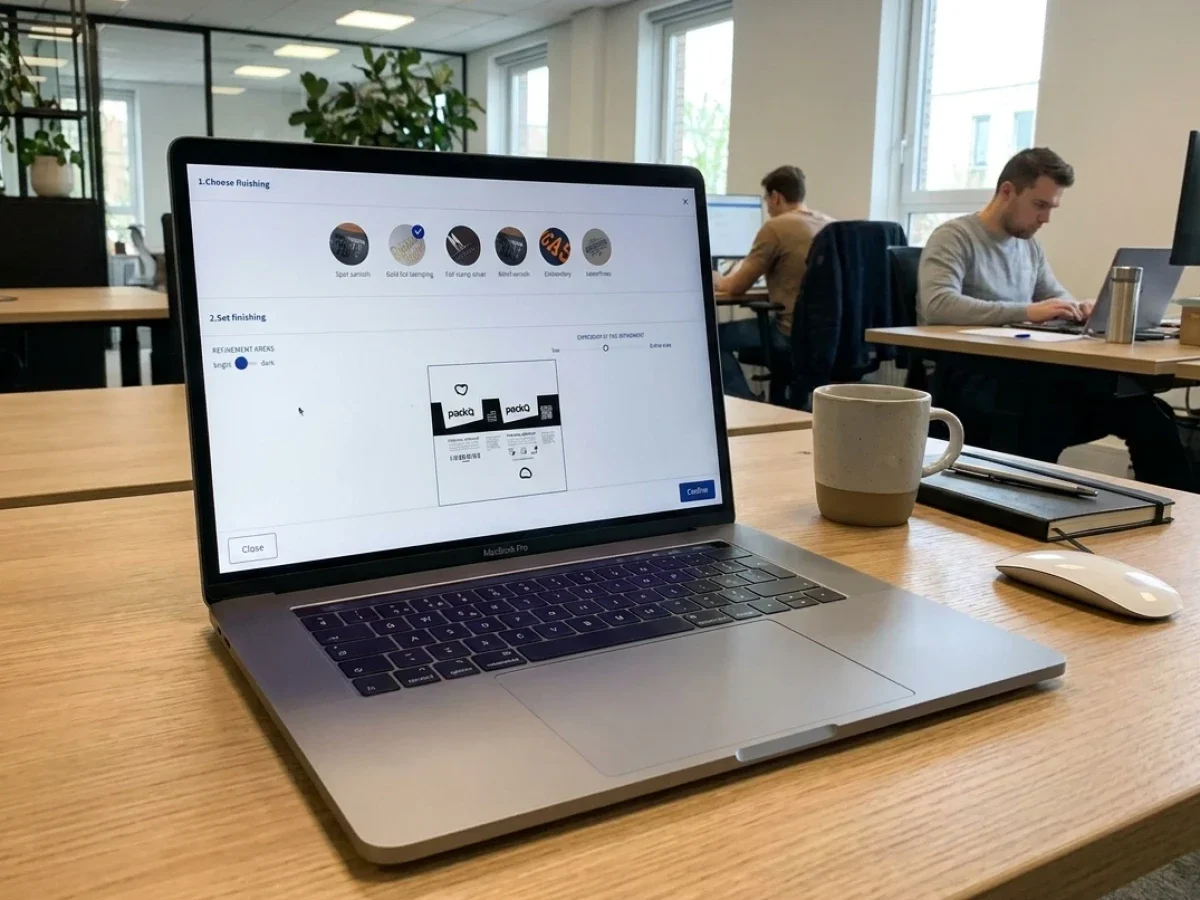
3D rendering packaging software is most valuable when it does more than create attractive mockups. In packaging production, realistic 3D approval must connect to structural standards, print validation, pricing, and production-ready PDF output. packQ by CloudLab combines browser-based 3D rendering, ECMA and FEFCO templates, Dynamic Preflight, real-time pricing, and API-first integration in one Web-to-Pack workflow.
Why 3D rendering packaging software matters in Web-to-Pack
3D rendering packaging software becomes business-critical when approvals move from static PDFs and physical samples into digital workflows. For packaging manufacturers, the question is not only whether a box looks realistic on screen. The real question is whether the approved visualization can be trusted by sales, prepress, production, and the customer.
packQ approaches this as a Web-to-Pack workflow, not as a standalone rendering tool. The platform connects visual approval with structural packaging logic, online configuration, price calculation, Dynamic Preflight, and production-ready output.
That matters for teams handling:
- Folding cartons with many format variants.
- Corrugated boxes based on FEFCO structures.
- POS displays and campaign packaging.
- Personalized packaging using Variable Data Printing.
- B2B and B2C self-service ordering.
- Closed-shop portals for brand owners and enterprise customers.
For decision-makers, the practical benefit is clear: the rendered approval is part of the production process, not a disconnected sales asset.
3d rendering packaging software for realistic sales approvals in the packaging process
3D rendering packaging software supports realistic sales approvals by showing customers how a configured package will look before production while keeping the approved design connected to production-safe data. With packQ, printers, packaging manufacturers, brand owners, and technology teams can combine browser-based 3D previews, automated validation, and Web-to-Pack integration to reduce manual approval loops and improve production reliability.
packQ is designed for packaging teams that need more than visual confidence. A realistic preview must reflect structure, proportions, folds, artwork placement, and customer-specific configuration.
In a sales process, this helps teams answer questions that static PDFs often leave open:
- Will the logo remain visible when the box is folded?
- Does the artwork align across panels?
- Does the packaging structure match the selected format?
- Can the customer approve the design without waiting for a physical sample?
- Can the approved job move directly into prepress and production?
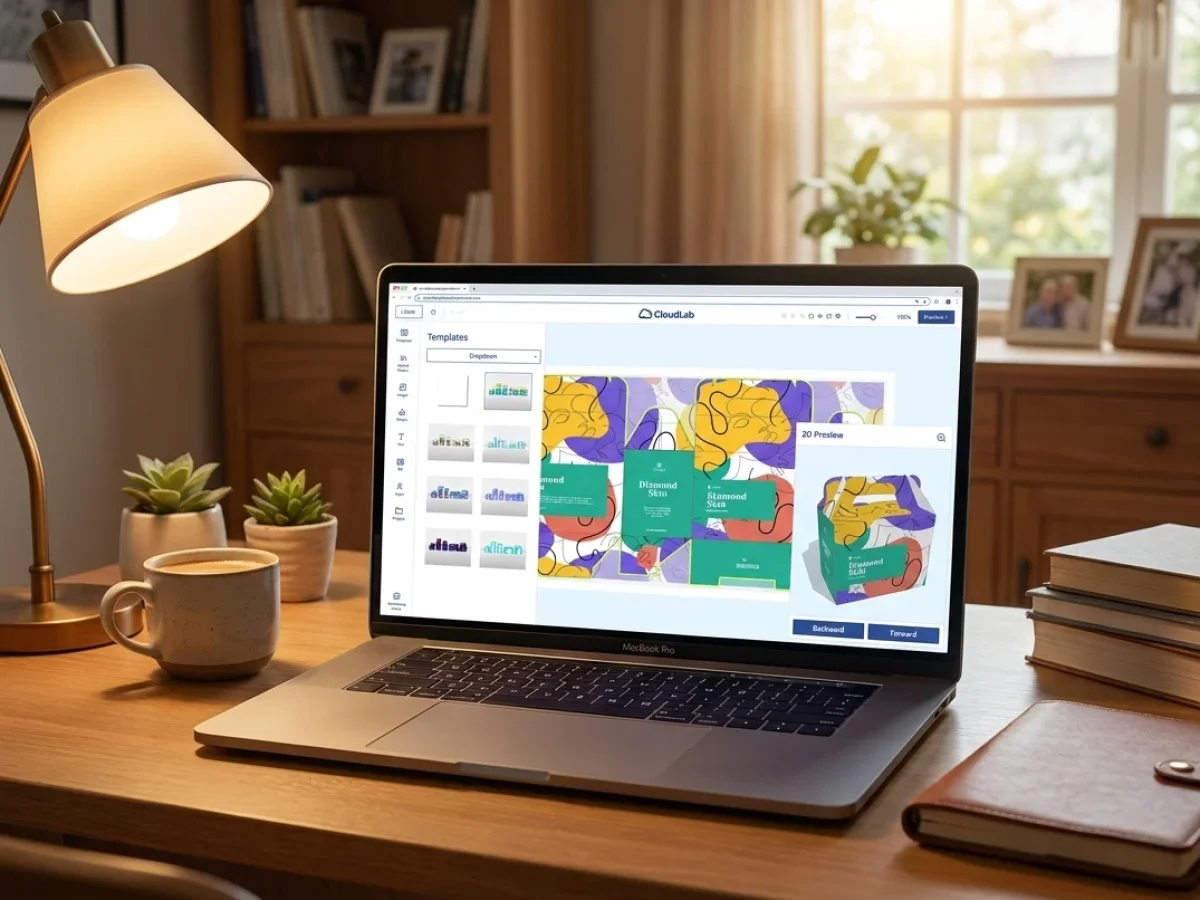
The 3D Packaging Designer in packQ runs in the browser and synchronizes 2D and 3D views. When a user changes text, artwork, dimensions, or layout elements, the preview updates in real time.
For sales teams, this creates a more concrete approval conversation. For prepress teams, it reduces ambiguity. For production, it helps ensure that what was approved online is tied to structured, validated output.
From attractive rendering to production-aware approval
Many 3D previews look convincing. Packaging production needs something stricter.
A production-aware approval workflow requires:
- Structural logic: The package must be based on a manufacturable folding carton, corrugated box, display, or other defined structure.
- Artwork validation: Images, colors, fonts, and bleed must meet print specifications.
- Pricing logic: Configuration changes must influence price immediately.
- Output reliability: The final file must be usable in downstream production workflows.
- Integration: Order data must move into shop, ERP, MIS, prepress, and production systems.
packQ connects these elements inside a Web-to-Pack platform. The result is not just a 3D mockup. It is a digital approval step within a controlled order-to-production workflow.
Where packQ fits in the packaging software stack
packQ is the specialized premium Web-to-Pack platform from CloudLab. It focuses on online packaging configuration, 3D visualization, automated checking, real-time pricing, and production-safe file generation.
CloudLab positions packQ alongside printQ and brandQ as part of a modular, scalable software ecosystem. For packaging, packQ is the core platform.
The product is especially relevant for:
- Printers and packaging manufacturers selling folding cartons, corrugated packaging, and POS displays online.
- E-commerce platforms and marketplaces offering custom packaging as a service.
- Brand owners and industrial teams managing prototypes, campaigns, packaging variants, and repeat orders.
- Technology teams connecting Web-to-Pack workflows with ERP, MIS, prepress, and production systems.
The platform has been on the market since 2018 and was recognized with the InterTech Technology Award. Its value lies in combining packaging-specific design logic with commercial ordering and production automation.
What problem does 3D packaging rendering solve in approval workflows?
3D packaging rendering solves the problem of approving complex packaging from incomplete visual information. Static PDFs, flat dielines, and email-based proofs often fail to show how artwork, folds, panels, closures, and branding will work on the final object. packQ reduces this risk by combining real-time 3D preview, ECMA/FEFCO templates, Dynamic Preflight, and production-ready output in one Web-to-Pack workflow.
For folding carton manufacturers, a flat layout is technically useful but commercially limited. A buyer may not immediately understand which panel becomes the front, how a lid closes, or whether a logo lands on a visible surface.
For corrugated packaging producers, the challenge is similar. A FEFCO-based box may be structurally standard, but customer artwork still needs to be checked in context.
packQ supports this process by giving users a live 3D preview while maintaining a synchronized 2D design environment. That means customers can configure, inspect, and approve packaging in a visual format that reflects the finished product more clearly.
The real cost of unclear approvals
Unclear approvals create friction across the process:
- Sales: Customers ask for more proofs, samples, or manual explanations.
- Prepress: Teams must interpret unclear artwork placement or correct avoidable errors.
- Production: Jobs may arrive with missing bleed, low-resolution images, or wrong color settings.
- Customer service: Approval disputes become harder to resolve when the customer never saw a realistic preview.
Dynamic Preflight adds another layer of control. packQ checks relevant print data during the online process, including resolution, color mode, bleed, and fonts. Errors can be flagged before the job enters production.
Use case: brand owner campaign packaging
A brand owner planning a seasonal promotion may need several SKU variants with similar structure and different artwork. A static approval process can create many small correction loops.
With packQ, the team can:
- Choose a standardized ECMA or FEFCO structure.
- Apply campaign artwork in the browser.
- Review the package in 3D.
- Use AI Designer Suite tools to improve artwork quality.
- Validate files with Dynamic Preflight.
- Submit production-ready output for print.
For marketing, this shortens approval. For procurement, it improves transparency. For production, it reduces preventable errors.
Why packaging rendering must be connected to ECMA and FEFCO
Realistic rendering is only useful when the underlying structure is realistic. In packaging, that means geometry, folds, flaps, closures, and dielines must follow packaging rules.
packQ includes a broad standards-based library with approximately:
- 120 ECMA folding carton types.
- 290 FEFCO corrugated box types.
- 50 POS display models.
These templates are parametric. Users can adjust dimensions and configuration options while staying inside controlled structural logic.
For packaging manufacturers, this is essential. Standardization makes automation possible. Instead of treating every online order as a custom engineering project, packQ guides customers through validated choices.
Why standards improve 3D approval quality
ECMA and FEFCO standards help align online configuration with production reality.
They support:
- Clear technical communication between customer, sales, prepress, and production.
- Faster configuration because users select from proven structures.
- Lower risk because dimensions and folds follow known packaging logic.
- Better scalability because repeatable templates are easier to automate.
- Production-safe output because CAD-based data can be generated from controlled structures.
A realistic 3D view becomes more trustworthy when it is based on standards rather than a generic visual model.
3d packaging rendering software in a Web-to-Pack workflow
The secondary keyword 3d packaging rendering software fits best when discussing how 3D visualization works inside the full packaging workflow. In packQ, rendering is not the final step. It appears early, during configuration, and stays connected to approval, validation, pricing, and output.
This changes how packaging teams work.
Instead of moving through separate systems for design, quoting, proofing, checking, and production, the workflow can become more connected:
- The customer selects a packaging structure.
- The system generates the editable layout.
- Artwork is placed in the browser.
- The 3D preview updates in real time.
- Preflight checks identify print issues.
- Price updates as configuration changes.
- Order and production data are handed off automatically.
For technology teams, this is the difference between a nice front-end tool and a scalable packaging platform.
Is browser-based Web-to-Pack better than static packaging approval?
Browser-based Web-to-Pack is better when packaging approval must connect visualization, pricing, validation, and production data in one workflow. Static approval can work for simple, repeat jobs, but it often separates the visual proof from preflight, structure, and order logic. packQ supports integrated approval by combining interactive 3D rendering, ECMA/FEFCO templates, Dynamic Preflight, real-time pricing, and ERP/MIS connectivity.
A neutral comparison is useful here. Static approval is not always wrong. For repeat jobs with fixed structures, known artwork, and minimal customer input, a conventional proof may be enough.
But Web-to-Pack becomes stronger when the process includes:
- Many small orders.
- Customer-controlled configuration.
- Variable formats or dimensions.
- Personalized artwork.
- Fast approval expectations.
- Automated order intake.
- Integrated prepress validation.
- ERP or MIS handoff.
Manual approval vs. automated Web-to-Pack approval
Manual approval usually relies on email, PDF proofs, internal checks, and separate price communication. It can work for high-touch custom projects, but it does not scale well for many repeatable orders.
Automated Web-to-Pack approval moves key checks into the customer-facing workflow. Customers can see the packaging in 3D, correct artwork issues earlier, and submit orders with clearer expectations.
packQ supports the automated model without removing professional control. Packaging manufacturers can define templates, rules, product options, pricing logic, and output requirements.
CAD workflow vs. browser-based Web-to-Pack
A classic CAD workflow is powerful for structural engineers. It is not designed for self-service ordering by customers, brand teams, or e-commerce users.
Browser-based Web-to-Pack translates selected packaging logic into a guided online experience. Users do not need CAD skills to configure standardized packaging, review it in 3D, and submit print-ready data.
For complex structural innovation, CAD specialists remain important. For scalable ordering of standardized or semi-standardized packaging, packQ provides a more accessible and automated workflow.
Web-to-Print vs. Web-to-Pack
Web-to-Print usually focuses on flat print products. Packaging requires more structure.
A Web-to-Pack platform must understand:
- Dielines.
- Folds.
- Panels.
- Closures.
- Board and corrugated structures.
- ECMA and FEFCO logic.
- 3D preview accuracy.
- Production-safe packaging output.
packQ is built for this packaging-specific complexity. That is why its 3D rendering is tied to structural templates, Dynamic Preflight, and CAD-based output rather than treated as a decorative preview.
Dynamic Preflight: where approval becomes safer
Dynamic Preflight is one of the most important safeguards in a Web-to-Pack workflow. It checks print data before a job reaches production, so errors can be fixed while the customer is still configuring the order.
Typical checks include:
- Image resolution.
- Color mode.
- Bleed.
- Fonts.
- Print-area constraints.
- File-related production requirements.
For prepress teams, this reduces avoidable manual corrections. For customers, it makes the online process more transparent. For production, it improves the chance that incoming jobs are usable without late intervention.
Why preflight belongs before checkout
Traditional workflows often check data after order submission. That creates delays because errors are discovered after the customer believes the job is complete.
In packQ, Dynamic Preflight brings validation closer to the design and approval moment. The customer receives feedback while changes are still easy to make.
This supports a more reliable process:
- Customers upload or edit artwork.
- The system checks technical requirements.
- Issues are flagged before approval.
- The customer corrects problems in the browser.
- The final order moves forward with fewer risks.
For high-volume packaging operations, this is a major efficiency gain.
AI Designer Suite and artwork quality in the browser
packQ also supports artwork improvement through its AI Designer Suite. This matters because many customers do not submit perfect print files.
The AI Designer Suite includes functions such as:
- Vectorization for converting raster graphics into cleaner vector-based assets.
- Crispify for improving image resolution with 4× higher output.
- Background removal for preparing product or brand visuals faster.
- Browser-based image editing features for users without dedicated desktop software.
For brand owners and e-commerce sellers, these tools reduce dependency on external design support for routine adjustments. For printers and packaging manufacturers, they improve incoming file quality before the job reaches prepress.
The point is not to replace professional design. The point is to remove common friction from repeatable online packaging orders.
Real-time pricing as part of the approval experience
A realistic approval process should not separate design decisions from commercial impact. When a customer changes dimensions, material, quantity, or finishing, the price should update immediately.
packQ includes dynamic price calculation during configuration. This supports faster decision-making because users can see how their choices affect cost.
For packaging manufacturers, real-time pricing helps reduce manual quoting for standardizable products. For customers, it creates transparency.
A practical workflow might look like this:
- A customer selects a folding carton structure.
- The customer changes dimensions.
- The customer uploads artwork.
- The 3D preview updates.
- Preflight checks the data.
- The price changes based on configuration.
- The customer approves and orders.
This is where Web-to-Pack becomes commercially useful. It connects visual confidence with buying decisions and production feasibility.
How do you implement 3D rendering packaging software in an existing packaging workflow?
Implement 3D rendering packaging software by connecting the online configurator with shop, ERP, MIS, prepress, and production systems instead of treating rendering as a standalone visual tool. packQ supports this through a headless, API-first architecture that can use REST, SOAP, and JSON to connect Web-to-Pack configuration, order data, pricing, preflight results, and production-ready PDF output.
Implementation should start with the process, not the interface. Technology teams need to define which products can be standardized, which systems own pricing and order data, and where production handoff begins.
Step-by-step implementation logic
1. Define the product scope.
Start with packaging types that are repeatable enough for automation.
Good candidates include:
- Standard folding cartons.
- Corrugated shipping boxes.
- POS displays.
- Campaign packaging.
- Reorderable branded packaging.
- Personalized short-run packaging.
2. Map structural standards.
Connect product groups to ECMA and FEFCO templates where possible. This reduces engineering effort and gives customers controlled flexibility.
3. Configure the online design flow.
Set up the browser-based designer so users can choose structure, dimensions, material, artwork, and finishing options.
The goal is a guided flow, not a blank canvas.
4. Connect 3D preview and 2D editing.
Use synchronized 2D and 3D design so customers can place artwork accurately and inspect the package before approval.
5. Add Dynamic Preflight.
Define rules for resolution, color mode, bleed, fonts, and other production requirements. This reduces late-stage prepress corrections.
6. Connect pricing logic.
Link configuration options to real-time price calculation. This can involve format, material, quantity, print method, finishing, and production parameters.
7. Integrate shop, ERP, and MIS.
Use packQ’s API-first and headless architecture to connect order data with existing systems. REST, SOAP, and JSON can support data exchange depending on the system landscape.
8. Automate production output.
Generate production-ready PDFs and relevant packaging data for prepress and production. This is where the approved online configuration becomes operationally useful.
Use case: packaging manufacturer with B2B portal
A folding carton manufacturer can use packQ to create a closed-shop portal for recurring brand customers.
The workflow could include:
- Customer login with approved product options.
- ECMA-based carton configuration.
- Brand-compliant artwork editing.
- 3D approval in the browser.
- Dynamic Preflight before checkout.
- Real-time pricing based on agreed conditions.
- ERP/MIS order creation.
- Production-ready PDF output.
For the customer, the portal simplifies repeat ordering. For the manufacturer, it reduces manual coordination and improves data consistency.
Headless and API-first architecture for scalable Web-to-Pack
packQ is built for integration. Its headless and API-first architecture allows companies to embed packaging configuration into existing digital environments instead of forcing every workflow into a fixed front end.
This is especially relevant for:
- E-commerce platforms.
- B2B customer portals.
- Enterprise procurement systems.
- Marketplace environments.
- ERP-driven ordering.
- MIS-led production planning.
- Automated prepress workflows.
A headless setup separates the front-end experience from the core packaging logic. That gives technology teams more flexibility in how packQ is presented to users while keeping the Web-to-Pack engine connected to business systems.
Why API-first matters for packaging operations
Packaging workflows rarely live in one system. A typical operation may include:
- Shop system for product selection and checkout.
- ERP for customer, inventory, and commercial data.
- MIS for estimating, job planning, and production management.
- Prepress tools for file checking and correction.
- Production systems for print and finishing.
- Logistics systems for shipping and status updates.
packQ helps connect these layers. That makes it suitable for scalable Web-to-Pack operations where order volume, product variation, and customer expectations are too complex for manual handoff.
Open-shop and closed-shop scenarios
packQ can support both open-shop and closed-shop Web-to-Pack models.
An open shop is useful when a printer or packaging manufacturer wants to sell standardized packaging online to a broad audience. Start-ups, small brands, and e-commerce sellers can configure and order without a sales call.
A closed shop is useful when packaging must stay within predefined customer rules. Brand owners, pharmaceutical companies, industrial customers, and enterprise buyers often need controlled templates, approved assets, permissions, and reorder workflows.
Open-shop use case
An e-commerce packaging supplier offers standard corrugated mailers online.
Customers can:
- Select a FEFCO-based structure.
- Enter custom dimensions.
- Upload artwork.
- Review the package in 3D.
- Fix preflight warnings.
- See the price immediately.
- Place the order online.
This makes small and medium runs easier to sell and process.
Closed-shop use case
A pharmaceutical brand uses a controlled portal for approved packaging variants.
Authorized users can:
- Select approved templates.
- Change regulated text fields within limits.
- Maintain CI-compliant artwork placement.
- Use 3D preview for internal approval.
- Submit production-ready files through a controlled workflow.
This supports compliance-oriented packaging without forcing every small change through a fully manual process.
Variable Data Printing and batch size one
Personalized packaging is difficult to scale when each variant requires manual file preparation. packQ supports Variable Data Printing using PDF/VT, which enables automated generation of variable packaging content.
This is relevant for:
- Campaign packaging.
- Personalized customer names.
- Regional variants.
- Serial numbers.
- Promotional codes.
- Limited editions.
- Batch-size-one production.
For brand owners, VDP supports more targeted campaigns. For packaging manufacturers, it creates new revenue opportunities in short-run and personalized production.
The key is automation. Personalization only becomes profitable when variable content can flow through the system without manual rebuilding for every unit.
How can packaging manufacturers use 3D rendering packaging software for production-safe approvals?
Packaging manufacturers can use 3D rendering packaging software for production-safe approvals by combining standardized structures, browser-based 3D review, Dynamic Preflight, and automated production output. With packQ, teams can configure ECMA and FEFCO packaging, review artwork in 3D, validate print data, calculate prices, and generate production-ready PDFs from one Web-to-Pack workflow.
Ausgangssituation: many small jobs, high coordination effort
A corrugated packaging producer receives many small and medium-sized orders from e-commerce brands. Customers want fast quotes, realistic previews, and flexible quantities. The internal team wants fewer email loops and fewer unusable print files.
A classic workflow creates bottlenecks:
- Sales prepares quotes manually.
- Customers review flat proofs.
- Prepress checks files after submission.
- Production waits for corrections.
- Customer service manages repeated approval questions.
Technical requirement: connect rendering with workflow logic
The producer needs more than a visual preview. The workflow must connect:
- FEFCO structures.
- Custom dimensions.
- Artwork placement.
- 3D preview.
- Preflight validation.
- Price calculation.
- ERP/MIS data exchange.
- Production-ready PDF output.
This is where 3d packaging rendering software becomes part of a Web-to-Pack operating model.
Implementation in the workflow
With packQ, the producer can create a guided configuration flow.
The customer selects a FEFCO box, enters dimensions, uploads artwork, and reviews the result in 3D. Dynamic Preflight checks print data before checkout. Real-time pricing updates during configuration. After approval, packQ generates production-safe output and passes relevant order data into connected systems.
Benefit for production and customer experience
The customer gets a faster, clearer approval process. The producer receives better-structured order data.
Main benefits include:
- Fewer approval loops because customers inspect the package in 3D.
- Cleaner incoming files because Dynamic Preflight flags issues early.
- Faster quoting because pricing updates in real time.
- Lower manual effort because standardized templates guide configuration.
- More scalable production because output is connected to downstream systems.
Role of packQ
packQ acts as the central Web-to-Pack layer between customer-facing design and production execution. It combines 3D Packaging Designer, ECMA/FEFCO libraries, AI Designer Suite, Dynamic Preflight, PDF/VT, real-time pricing, and API-first integration.
For packaging manufacturers, this turns realistic sales approval into a production-aware process.
Content gaps this article should fill
The current packQ content already covers many strong topics around Web-to-Pack, API-first architecture, Dynamic Preflight, ECMA/FEFCO, and 3D packaging design. This article should therefore avoid repeating a broad product overview.
The strongest angle is more specific: realistic sales approvals in the packaging process.
That angle fills a practical gap because it connects:
- 3D rendering.
- Customer approval.
- Sales enablement.
- Prepress risk reduction.
- Production-safe output.
- Workflow integration.
This is also the most relevant way to address the search intent behind “3d rendering packaging software.” The user is not only looking for a rendering engine. The user is likely evaluating how realistic visualization supports packaging decisions, approvals, and production workflows.
What decision-makers should evaluate
When evaluating 3D rendering packaging software, decision-makers should look beyond visual quality.
The key criteria are:
- Packaging specialization: Does the system understand folding cartons, corrugated packaging, displays, and dielines?
- Standards support: Are ECMA and FEFCO templates built into the workflow?
- Approval reliability: Does the 3D view reflect the approved packaging structure?
- Preflight capability: Are print issues checked before production?
- Pricing integration: Does configuration influence price in real time?
- Output quality: Can the system generate production-ready PDFs?
- System integration: Can it connect with shop, ERP, MIS, prepress, and production?
- Scalability: Can it support open shops, closed shops, and enterprise workflows?
packQ is relevant because it addresses these criteria inside one Web-to-Pack platform.
From Packaging Visualization to Production-Safe Output
3D rendering packaging software creates the most value when it connects realistic visualization with packaging automation, production safety, and system integration. For printers, packaging manufacturers, brand owners, e-commerce platforms, and technology teams, the approval moment is no longer just a visual checkpoint. It is a decision point that affects quoting, prepress, production, and customer experience.
packQ by CloudLab positions 3D rendering inside a complete Web-to-Pack workflow. The platform combines browser-based 3D Packaging Designer, ECMA and FEFCO standards, Dynamic Preflight, AI Designer Suite, Variable Data Printing with PDF/VT, real-time pricing, API-first integration, and production-ready PDF output.
The core message is simple: realistic packaging approval should not be disconnected from production. With packQ, 3D approval becomes part of a scalable Web-to-Pack process built for automation, integration, and production reliability.
Realistic 3D approval is becoming a critical part of modern packaging workflows. This article explains how 3D rendering packaging software supports faster sales approvals, fewer prepress errors, and more reliable production handoff when it is connected to Web-to-Pack automation. Using packQ as the solution framework, the article shows how browser-based 3D previews, ECMA and FEFCO templates, Dynamic Preflight, real-time pricing, API-first integration, and production-ready PDF output help printers, packaging manufacturers, brand owners, and technology teams build scalable digital packaging processes
Key answers for decision-makers
- Sales approval: packQ turns 3D rendering packaging software into a production-aware approval workflow with live previews, standards-based structures, and print-ready output.
- Error reduction: Dynamic Preflight reduces late corrections by checking resolution, color mode, bleed, fonts, and production constraints before order submission.
- Workflow comparison: Browser-based Web-to-Pack is stronger when packaging approval, pricing, preflight, and ERP/MIS handoff must work together.
- Implementation: packQ integrates shop, ERP, MIS, prepress, and production through API-first workflows using REST, SOAP, and JSON where relevant.
- How-to: Packaging teams use packQ to configure ECMA/FEFCO structures, preview designs in 3D, validate files, and generate production-safe PDFs.