
ECMA & FEFCO Standards: Digitalizing Packaging With packQ

packQ is CloudLab’s premium web‑to‑pack solution that leverages ECMA and FEFCO standards to simplify structural packaging design. Parameterized templates, integrated CAD and real‑time 3D previews enable brands and printers to configure folding cartons, corrugated boxes and POS displays online and send print‑ready files straight to production. The platform combines AI‑powered graphic tools, variable‑data capabilities and dynamic pricing to support mass customization and reduce errors. Its headless architecture and APIs connect to e‑commerce storefronts and ERP/MIS systems, turning packaging into an efficient, digital workflow. Thanks to automation and industry standards, packQ delivers faster approvals, fewer mistakes and scalable on‑demand packaging.
Why Standardized Packaging Matters
The packaging industry is under pressure to deliver customized, sustainable products while reducing costs and speed‑to‑market. Folding cartons and corrugated boxes must be designed, priced, ordered and manufactured across multiple channels. Without a common vocabulary, collaboration between designers, converters and brand owners becomes inefficient. Standardized codes such as those defined by the European Carton Makers Association (ECMA) for folding cartons and by the Fédération Européenne des Fabricants de Carton Ondulé (FEFCO) for corrugated packaging create this common language. When embedded in modern web‑to‑pack software, these codes become dynamic templates that can be configured online, visualized in 3D and passed directly into production. packQ—CloudLab’s premium web‑to‑pack platform—digitalizes this process and provides printers, converters, brands and technology teams with a single, API‑first solution for standardized packaging.
Understanding ECMA and FEFCO Standards
ECMA Codes for Folding Cartons
The ECMA code system groups folding‑carton constructions under a letter and number combination. The codes reference the shape of die‑cut packaging—such as tuck‑end boxes or pillow boxes—while leaving dimensions open, so producers only need to specify the code and the desired length, width and depth. ECMA standards simplify communication because a single code immediately conveys the structural design to converters, printers and suppliers. The system’s simplicity avoids translation errors, making it attractive for global trade. The ECMA organization maintains the codes as common property and cooperates with industry members worldwide to evolve them. Although the standards describe a recommended shape, they are not binding; designers can modify dimensions or features as needed while still referencing a familiar code.
FEFCO Codes for Corrugated Packaging
FEFCO codes classify corrugated board constructions with four‑digit numbers. The first two digits define the category (e.g., slotted boxes or trays) and the last two digits specify the exact design. The system, developed in the late 1960s, was created to replace long descriptions with simple codes and create a common base for communication. FEFCO codes have become internationally recognized and are adopted by the International Corrugated Case Association. In web‑to‑pack systems the codes are transformed into parametric templates that users can adjust online; the software automatically calculates panels, folds and material usage. Modern libraries contain more than 290 FEFCO models, each with data such as fold lines, glue flaps and permissible parameter ranges. When combined with web‑based design tools, these templates support rapid configuration and automated manufacturing.
Why Standardization Is a Game Changer
ECMA and FEFCO codes eliminate ambiguity in packaging design. By referencing a code, stakeholders instantly know the structural form, enabling a shared understanding that crosses languages and geographies. Standardization saves time and cost because designers no longer need to prepare detailed drawings for every order. Codes also facilitate automation: web‑to‑pack platforms can generate CAD files, price calculations and production data from the parametric template. This mix of standardization and individualization allows mass customization—customers can adapt dimensions, flute types or finishing options without deviating from the certified structural design.

packQ’s ECMA/FEFCO Library
Parameterized Models for Every Packaging Need
At the heart of packQ is an expansive library of ECMA and FEFCO standards. The solution offers hundreds of parameterized models covering folding boxes, corrugated boxes and point‑of‑sale (POS) displays. Each template is driven by a CAD‑generated die‑line that can be resized while preserving structural integrity. For ECMA cartons, packQ supports all common codes, allowing designers to start with a standard die‑cut shape and adjust dimensions for individual products. For corrugated packaging, the software integrates FEFCO codes, from classic shipping cartons to trays and POS displays. The library also includes ~50 POS display models, enabling brands to create display stands and shelf trays that align with retail guidelines.
CAD Integration and Dimensional Accuracy
While many online packaging tools offer simple resizing, packQ embeds CAD technology to maintain precision. The platform’s 3D animations are backed by CAD parameters that let users adjust length, width and height while automatically recalculating panel sizes, fold lines and scores. This ensures that the die‑line remains production‑ready, even when dimensions change. Because the templates reference ECMA or FEFCO codes, the resulting design remains standardized yet tailored to the specific product.
Configuring Everything from Shipping Cartons to POS Displays
packQ’s library spans a spectrum of use cases. E‑commerce brands can configure slotted boxes, telescope cartons, trays and displays by selecting a FEFCO code and adjusting parameters; the system automatically accounts for corrugation type and material thickness. Food and cosmetics manufacturers can pick ECMA codes such as pillow boxes, tuck‑end cartons or bottle carriers, modify dimensions and add special openings for product presentation. POS displays can be designed with integrated shelves, hooks or compartments. This breadth of standards allows packQ users to handle diverse packaging requirements—from shipping to retail—within one interface.
3D Packaging Designer & Live Preview
Real‑Time 3D and 2D Design Synchronization
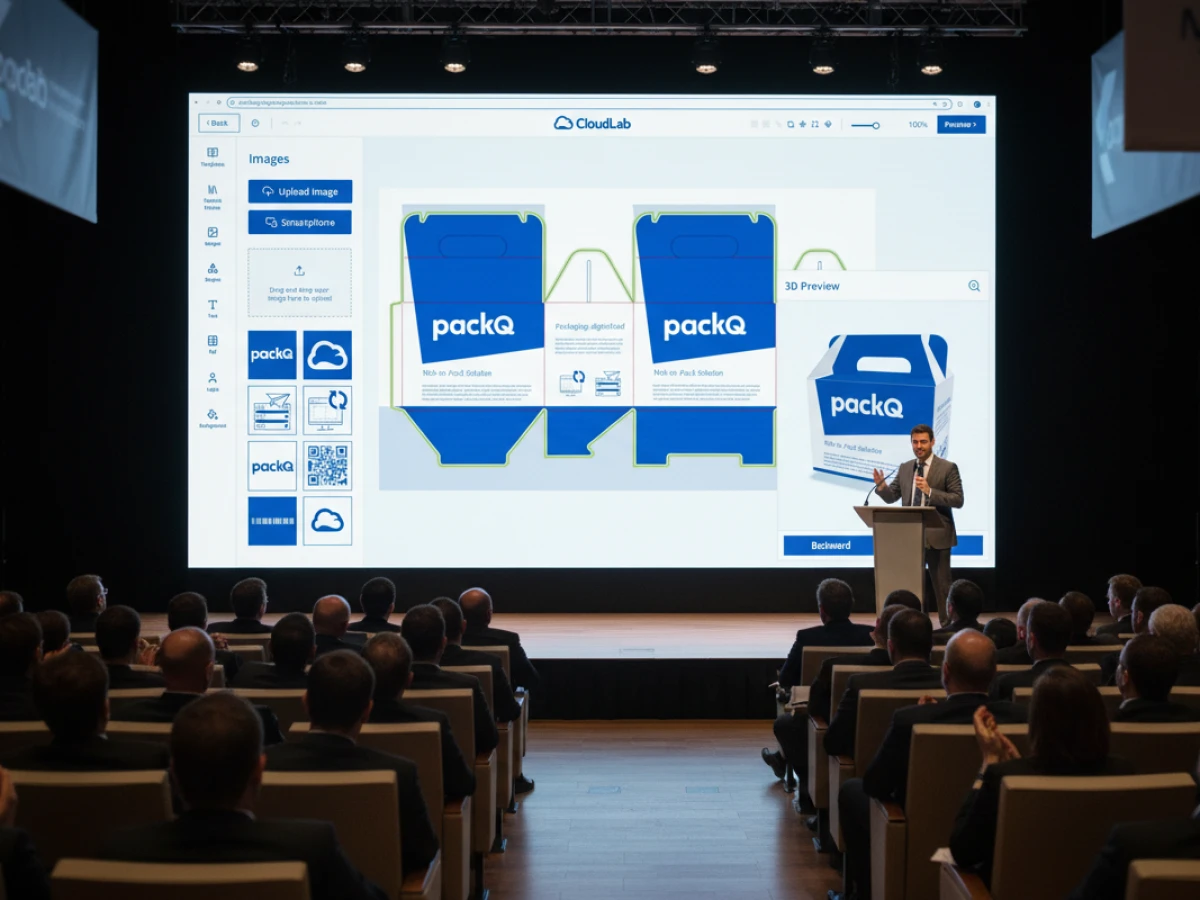
packQ’s 3D packaging designer ensures that the virtual model matches the final product. Designs are rendered in real time, so customers can rotate, fold and inspect packaging before approving it. Because the 3D view is synchronized with the 2D die‑line, any change to graphics or dimensions is instantly reflected across both views. Decision makers can examine how artwork wraps around edges and corners, reducing surprises on press and enabling faster approvals.
Uncompromising Personalization and Automatic Calculation
The online editor supports drag‑and‑drop placement of images, text and branding elements. Even novices can make detailed modifications while the system keeps fold lines aligned. packQ automatically recalculates pricing when dimensions change—long price lists for similar products become obsolete because the software computes costs based on setup and run constants. For brands, this means accurate cost estimates at the point of configuration and the ability to offer made‑to‑measure packaging without manual quotes.
AI Designer Suite & Creative Tools
Vectorization and Crispify for High‑Quality Artwork
packQ’s AI Designer Suite equips customers with professional graphic tools directly in the browser. The vectorize function converts pixel images into scalable vector graphics in seconds, allowing users to select areas, adjust smoothing and define colors. The Crispify feature generates four times more pixels, turning low‑resolution images into sharp, print‑ready graphics. These tools eliminate the need for external software and ensure that packaging artwork meets press requirements.
Effects, Filters and Background Removal
The suite offers a range of effects—grayscale, color reversal, sepia or vintage filters—plus fine‑tuning of contrast and brightness. A remove background tool isolates products with one click, producing clean images ideal for packaging visuals. Because these capabilities run in the browser, marketing teams can prepare artwork independently and see the results immediately in the 3D preview.
Embellishment Extension for Premium Finishes
For brands seeking to elevate unboxing experiences, packQ’s embellishment extension supports foil stamping, embossing, spot UV varnishing and other finishing techniques. Users can specify which graphic elements to enhance and preview them in a special color (e.g., magenta) in the 3D view. Once approved, the job data is sent to the appropriate finishing hotfolder, ensuring that embellishment instructions are correctly captured during production.
Variable Data Printing & Mass Customization
PDF/VT and Data Upload
packQ enables variable data printing (VDP) through PDF/VT. Customers can upload Excel or CSV files to populate packaging with unique names, serial numbers, barcodes or images. This is particularly valuable for personalized packaging, promotional campaigns or serialized product tracking. The system supports high‑volume data sets and allows manual record editing for last‑minute changes. Each record is checked in the 3D preview to ensure accurate placement and consistent layouts.
Use Cases for One‑Off and Short‑Run Packaging
By combining VDP with standardized ECMA/FEFCO templates, packQ makes mass customization feasible. Printers can offer lot size 1 without compromising efficiency—each box can carry a unique design or recipient name, yet the production workflow remains automated. Brands can run micro‑campaigns or personalized subscription boxes. E‑commerce platforms can generate individualized shipping cartons with dynamic labels, while pharmaceuticals can print variable regulatory information or batch codes. The ability to handle multiple data sets in a single run supports both B2B and B2C business models.
Dynamic Preflight & Quality Assurance
Real‑Time Validation of Print Data
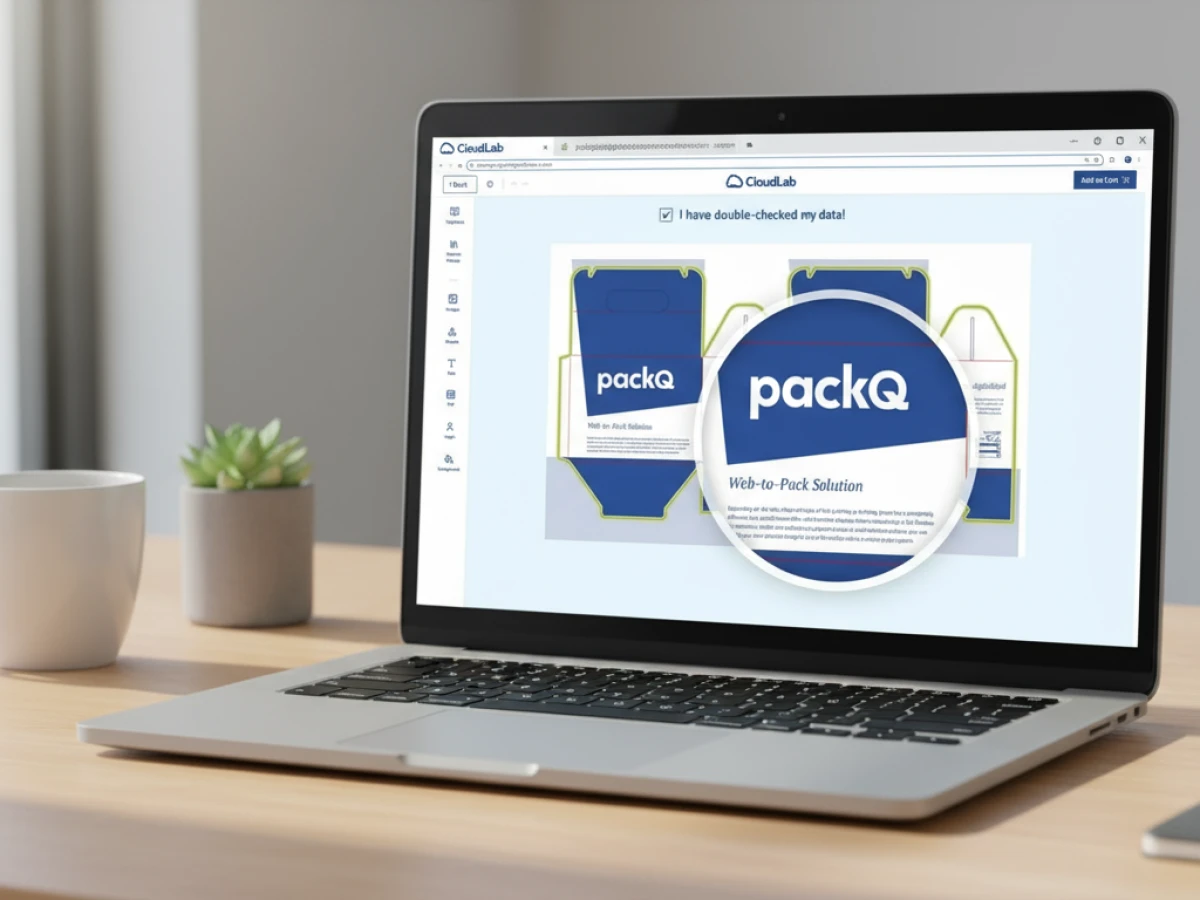
packQ includes an integrated Dynamic Preflight Check that validates graphic and structural data during the design process. Instead of waiting until after an order is placed to discover problems, the system checks parameters such as minimum font size, DPI and color spaces upfront. If any requirement is not met, the user is alerted to adjust the artwork before proceeding. This proactive approach reduces the risk of costly reprints and ensures production‑ready files every time.
Support for pdfToolbox and PitStop
To enhance preflight capabilities, packQ integrates Enfocus PitStop and callas pdfToolbox, two leading verification tools in the print industry. With a server license, these tools can be installed within minutes and run automatically on every print job. Such integration offers advanced error detection and ensures compliance with industry standards, giving printers and converters confidence that the files they receive will process smoothly.
Product Configuration & Real‑Time Pricing
Detailed Configuration with Plausibility Checks
packQ’s configuration engine enables users to tailor materials, paper types, colors and finishing options. A plausibility check analyzes print specifications to ensure that choices are compatible—for example, verifying that a selected laminate works with the chosen substrate or that a fold line meets structural requirements. Errors are flagged instantly, reducing production delays and facilitating a smooth workflow.
Dynamic Price Calculation
The software computes real‑time pricing based on industry constants such as setup costs and production run lengths. When dimensions or materials change, the price updates automatically, freeing sales teams from managing endless price lists. For printers, this means transparent and accurate quotes; for brands, it enables quick comparison of options and supports on‑the‑fly decision making.
Production Workflow & Automation
Automated Generation of Cutting and Punching Data
Once a design is approved, packQ automatically generates print and packaging data—including JDF and XML files—and transfers them into the production workflow. The system handles multiple layers (cut, fold, perforation), ensuring that cutting dies and job pockets are created correctly. Standard‑compliant files integrate seamlessly with digital and conventional finishing equipment, reducing manual setup and potential errors.
Hotfolder Integration and Job Monitoring
Hotfolders ensure that print files are delivered to the correct device and process at the right time. In packQ’s workflow, each job status is visible, enabling operators to intervene when necessary—for example, if a customer uploads incorrect data. This transparency improves throughput times and reduces the need for manual communication between departments.
Industry 4.0‑Ready Infrastructure
The combination of automation, preflight and standardized data formats positions packQ as an Industry 4.0 solution. Production data flows directly from the online configurator into cutting machines, digital presses and ERP/MIS systems. With real‑time monitoring and data exchange, companies can optimize production schedules, reduce downtime and scale mass customization.

eCommerce Integration & Headless Architecture
Headless Structure and Shop Connector
packQ offers a headless system architecture: the frontend is decoupled from the backend, enabling seamless integration into existing online shops or marketplace platforms. A dedicated Shop Connector lets users link packQ with common e‑commerce systems via plug‑and‑play, without coding. This makes it easy for printers and brands to embed packaging configurators into their customer journey.
Robust APIs and ERP/MIS Integration
The platform provides REST and SOAP APIs and supports data formats such as XML, JDF, XJDF, CSV and JSON to connect with workflow systems. Through these interfaces, order data, print files and production information flow automatically between packQ, ERP/MIS software and machine controllers. Integrations reduce manual data entry, synchronize inventory and enable real‑time status updates. For technology teams, this API‑first approach facilitates scalable deployments and customization.
Use Cases for Different Stakeholders
Printers & Packaging Manufacturers
Printers and converters benefit from packQ’s standardization and automation. By using ECMA and FEFCO templates, they ensure that fold lines, glue flaps and die‑lines are correct. Automatic CAD generation saves engineering time and allows existing dies to be reused for similar codes. With live pricing and preflight checks, small orders become profitable because administration overhead is reduced. The platform’s hotfolder integration and job monitoring minimize downtime, while APIs connect to MIS and production scheduling systems.
E‑Commerce Platforms & Marketplaces
For e‑commerce providers, packaging is part of the customer experience. packQ’s headless structure enables the integration of a packaging configurator directly into a checkout flow. Customers can choose a box style, enter dimensions, upload artwork and see a 3D preview in real time. The automated workflow produces print‑ready files and calculates shipping costs based on size and material. Marketplaces offering customized packaging can scale easily with packQ’s API‑based architecture and dynamic pricing.
Brand Owners & Industry
Marketing teams and product managers need flexibility and speed. With packQ they can launch promotional campaigns with personalized or seasonal packaging quickly, thanks to dynamic templates and 3D previews. The ability to visualize the corrugated flute structure and finishing effects helps ensure brand consistency. Because ECMA and FEFCO codes are recognized worldwide, brands can specify packaging centrally and have it produced locally, ensuring global consistency. The software’s sustainability benefits—such as optimized material use and recyclable corrugated board—align with corporate responsibility goals.
Technology Teams (IT, Prepress, Production)
packQ’s modular, API‑first architecture simplifies deployment for IT departments. The headless approach allows decoupled frontends and microservices, while REST/SOAP APIs enable integration with existing systems. Prepress teams appreciate the integrated preflight checks and pdfToolbox/PitStop support, reducing manual file verification. Production managers gain real‑time insight into job status and can optimize resource utilization using the automated workflow and hotfolders.
ROI & Business Benefits
Efficiency and Cost Savings
By automating design, pricing and production data, packQ reduces manual labor and the risk of errors. A web‑to‑pack business focuses on reducing costs to increase margins. The platform’s ability to generate print‑ready files instantly means that printers only produce packaging after an order is placed, eliminating dead stock and preventing losses from unsold inventory. Dynamic pricing and preflight checks cut quoting time and minimize reprints, while AI tools reduce the need for external graphic design services.
Mass Customization and Sustainability
Mass customization is enabled through variable data printing and parametric templates. packQ allows brands to create individualized packaging at scale while maintaining high throughput and consistent quality. Corrugated board’s renewable and recyclable nature—combined with optimized material use—supports sustainability. The software can calculate material usage and adjust pricing based on selected flutes and thicknesses, encouraging responsible choices without complicating the ordering process.
Market Differentiation and Customer Experience
With 3D previews, AI embellishments and personalization, packQ helps companies differentiate their packaging and enhance unboxing experiences. Customers can view and interact with their design, reducing doubts and increasing conversion. The ability to offer unique structural designs, high‑quality graphics and finishing effects positions printers and brands as innovation leaders. According to industry experts, web‑to‑pack stores speed up production and reduce turnaround time because the whole process is automated.
Implementation Strategies
Open‑Shop vs Closed‑Shop Scenarios
packQ supports both open‑shop (public storefront) and closed‑shop (restricted corporate portal) models. In an open‑shop scenario, anyone can browse templates, upload designs and place orders—ideal for SMEs and e‑commerce startups. A closed shop restricts access to specific user groups, such as enterprise clients or franchisees, enabling centralized control of templates, pricing and approvals. The headless architecture means that both scenarios can run concurrently on the same backend, with different frontends tailored to each user group.
Integration with Existing Workflows
Successful implementation requires connecting packQ to existing e‑commerce, ERP and production systems. Using the Shop Connector and APIs, businesses can embed packaging configuration into their website, exchange order data with MIS software and feed production files to cutting tables and digital presses. During rollout, a phased approach is recommended: start with a core set of templates, train staff on the 3D designer and gradually expand the library. Because the system is modular, features like the AI Designer Suite or variable data printing can be activated when needed.
Getting Started and Piloting
packQ won the InterTech™ Technology Award in 2018, demonstrating industry recognition. CloudLab offers demonstrations and onboarding to help businesses evaluate the solution. When piloting packQ, choose a representative product line, configure a set of ECMA or FEFCO templates, and run orders through the system to measure time savings, error reduction and customer satisfaction. Use analytics from the platform to optimize parameter ranges and pricing formulas. The goal is to build confidence and expand adoption across product categories and production sites.
Future of Web‑to‑Pack and packQ’s Role
Emerging Trends and Innovations
Web‑to‑pack is evolving rapidly. The latest FEFCO code edition incorporates designs for retail and e‑commerce packaging, reflecting market changes and new technologies. AI continues to advance, enabling automatic brand‑consistent layouts, smart colour recommendations and augmented reality previews. Sustainable materials and circular economy principles drive demand for corrugated packaging and efficient design. packQ’s commitment to a headless, API‑first architecture positions it to integrate future innovations—be it new standards, machine learning algorithms or connected manufacturing equipment.
Staying Ahead with packQ
Organizations that adopt packQ gain a strategic advantage. They can respond to market demands for personalized, eco‑friendly packaging while maintaining productivity and cost control. Standardized ECMA/FEFCO templates reduce complexity and foster collaboration across the supply chain. Real‑time 3D previews and AI tools enhance customer experience and creative freedom, while dynamic pricing and automation enable profitable short runs. With proven recognition such as the InterTech Technology Award and continuous innovation, packQ is positioned as a leading web‑to‑pack solution for printers, packaging manufacturers, brand owners and technology teams.
Conclusion
packQ integrates ECMA and FEFCO standards into an end‑to‑end web‑to‑pack platform that addresses the needs of printers, converters, brands and technology teams. By combining parametric templates, CAD‑driven 3D design, AI‑powered artwork tools, variable data printing, dynamic preflight and headless APIs, it digitalizes packaging from concept to production. The result is faster approvals, reduced errors, accurate pricing and scalable mass customization. For decision makers seeking to modernize their packaging workflows, packQ delivers a future‑proof solution grounded in internationally recognized standards.
An overview of all features of packQ developed by CloudLab
- 3D Packaging Designer – Design folding cartons, cartons and other packaging directly in the browser and instantly see how your product will look thanks to the real‑time 3D preview. Dimensions can be adjusted and prices are recalculated automatically.
- ECMA and FEFCO Library – Gives access to standardised templates for folding cartons, corrugated boxes and POS displays. The parametric models are based on the internationally recognised ECMA and FEFCO codes and can be customised.
- Vectorisation & Finishing – Pixel images are converted into high‑resolution vector graphics in just a few clicks. Finishing options such as foil stamping, spot UV varnish or embossing are also available to enhance the product.
- Variable Data Printing (PDF/VT) – Enables the import of personalised data or images via CSV/PDF‑VT upload. Data can also be added manually, allowing both one‑off pieces and large series to be produced efficiently.
- Template Gallery – A large selection of ready‑made templates accelerates the design process. The AI‑based “Liquid Layouts” automatically adjust designs to different formats while preserving the original design concept.
- Folding Boxes – Configure folding cartons with various closure types, viewing windows and embellishments. An interactive 3D preview provides complete control over material, format and features.
- Corrugated Board – Design corrugated packaging including special formats. The software supports different materials and special colours, automatically checks fold and cutting lines and shows the folding sequence in an animated view.
- POS Displays – Create individual product displays with configurable shelves and trays. Logos, text and QR codes can be placed precisely; a 3D preview shows the result from every angle.
- Flexible Packaging – For stand‑up pouches, mailing bags or film packaging, the print area and bleed can be defined in the backend. PackQ automatically trims artwork to size and marks relevant production dimensions directly in the editor.
- Labels & Stickers – Offers a wide range of label shapes and sizes. Materials, coatings and finishes can be freely selected; a preview shows the label directly on the packaging. Both data imports and manual entries are supported.
- AI Designer Suite – A set of image‑editing tools: raster images can be vectorised, resolution enhanced four‑fold with “Crispify”, and backgrounds removed automatically. Various filters are also available.
- Dynamic Preflight Check – Print data is checked in real time for resolution, colour mode and other criteria during configuration. This allows errors to be corrected before the job goes into production.
- Production Workflow – Once an order is placed, all relevant print and production data are generated automatically, including JDF/XML files. Hot‑folder integration ensures seamless transfer to printing and die‑cutting equipment.
- Product Configuration & Calculation – Enables detailed selection of materials, colours and finishes with inputs checked for plausibility. Dynamic pricing calculates realistic production costs based on industry‑standard parameters.
- eCommerce Integrations & APIs – Thanks to the “packQ Shop Connector”, the software can be connected to common shop systems without programming knowledge. Through REST/SOAP APIs and formats such as JDF, XJDF or JSON, packQ also integrates into ERP and production systems.

.webp)


