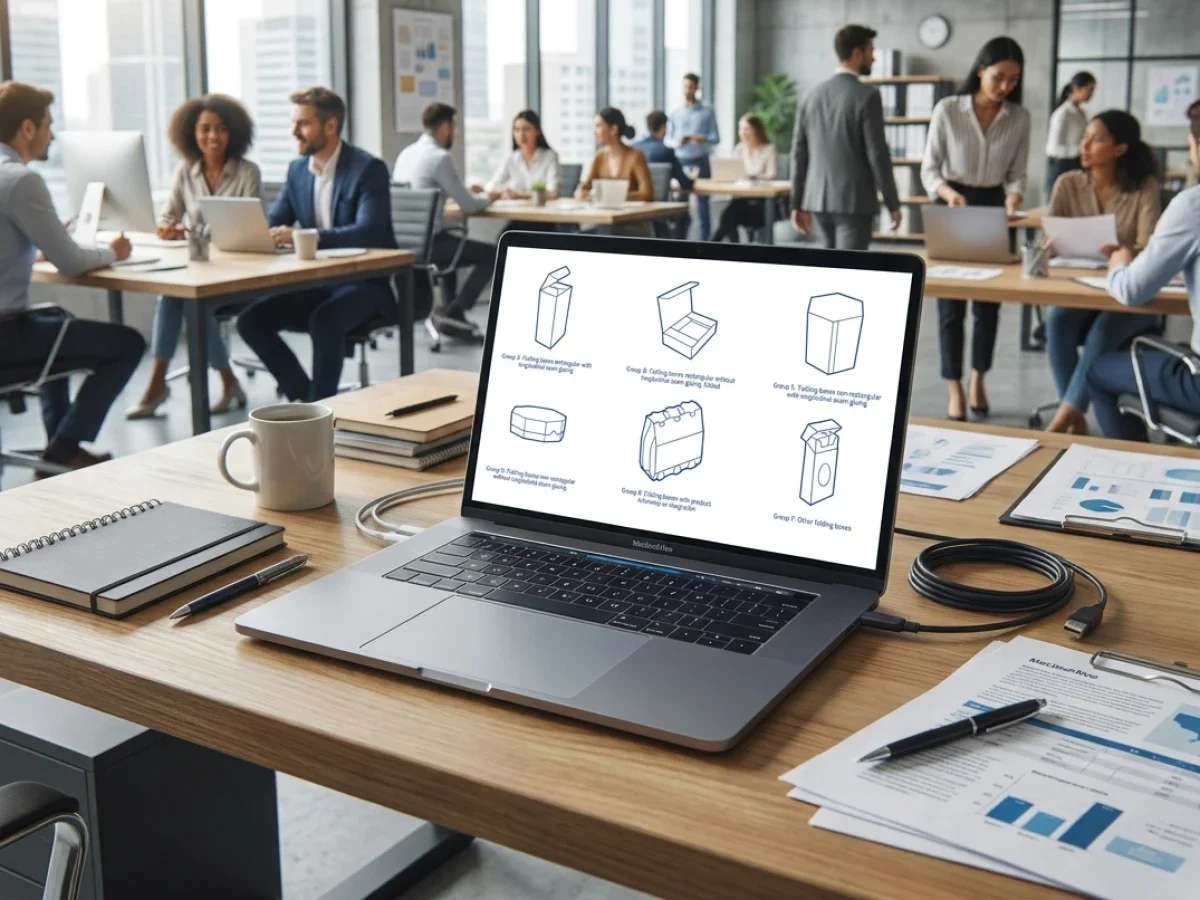
Packaging Display Visualization Software
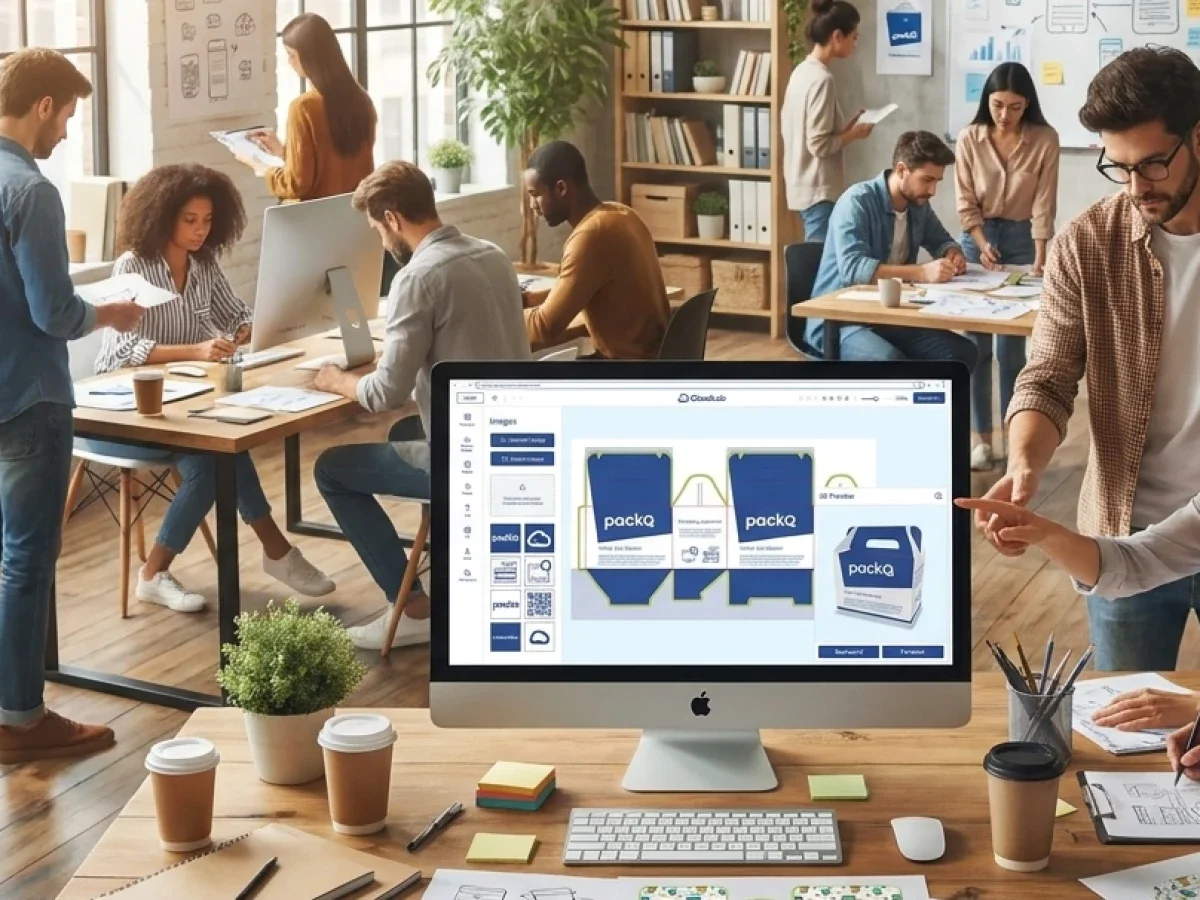
Packaging display visualization software helps packaging teams review displays, retail packaging, and shelf-ready structures online before production. packQ by CloudLab connects Web-to-Pack configuration, 3D Packaging Designer previews, ECMA and FEFCO logic, POS display templates, Dynamic Preflight, and production-ready PDF output. For printers, packaging manufacturers, brand owners, marketing teams, and retail-focused producers, this reduces approval uncertainty and makes visual packaging checks more production-safe.
Why Retail Displays Need Online Visualization Before Production
Retail displays and shelf-ready packaging are judged twice. First, they must work technically in production. Then, they must work visually at the point of sale.
That makes approval more complex than for many flat print products. A display can be structurally correct but visually weak. A shelf-ready box can print correctly but hide key branding once products are loaded. A promotional display can look strong in a flat layout but lose impact when folded, assembled, or viewed from a shopper’s angle.
Packaging display visualization software helps packaging teams review these risks before production begins. The goal is to connect structural packaging logic, graphics, approval, preflight validation, and production output in one controlled process.
packQ by CloudLab is built for this type of Web-to-Pack workflow. The platform combines browser-based 3D packaging design, synchronized 2D and 3D editing, ECMA and FEFCO libraries, POS display templates, Dynamic Preflight, AI-supported artwork preparation, real-time pricing, API-first integration, and production-ready PDF output.
The packQ website positions the platform around digital packaging workflows, ease of use, 3D visualization, production automation, product configuration, Dynamic Preflight, and e-commerce integration. Existing content already covers the 3D Packaging Designer, folding cartons, corrugated packaging, POS displays, flexible packaging, labels, AI Designer Suite, and production workflow. The strongest content gap for this article is the retail approval perspective: how teams can check displays and shelf-ready packaging online before prepress and production.
Which Packaging Display Visualization Software Helps Teams Review Retail Packaging Online?
Packaging display visualization software helps teams review retail packaging online when it combines live 3D previews, controlled display templates, artwork validation, approval workflows, and production-ready output. packQ provides this through Web-to-Pack automation, POS display models, ECMA/FEFCO structures, Dynamic Preflight, and API-first integration for packaging manufacturers, brand owners, and retail teams.
For retail-focused packaging, visualization is not decorative. It is part of production decision-making. Brand owners need to see whether the product message is visible. Marketing teams need to judge campaign impact. Packaging manufacturers need to confirm that the approved design can be produced reliably.
packQ supports this through the 3D Packaging Designer, which lets users review packaging and displays as physical objects in the browser. Artwork changes, text updates, image placement, and structural adjustments can be checked visually before production output is generated.
The system also supports POS display workflows through dedicated display models. This matters because displays are not just containers. They are sales environments with panels, faces, folds, presentation areas, and shopper-facing surfaces.
For packaging manufacturers, this reduces approval ambiguity. A customer no longer approves only a flat dieline or a static rendering. The customer reviews the actual visual logic of the display in 3D, while the production workflow remains connected to validated output.
Dynamic Preflight adds a second layer of protection. It checks production-relevant file requirements such as resolution, color mode, bleed, and fonts before files reach prepress. That connection between visual approval and technical validation is what makes packQ relevant as a production-aware display visualization workflow.
Why Static Display Proofs Create Approval Problems in Retail Packaging
Static display proofs create approval problems because they often separate artwork review from the physical retail structure. A flat file may show correct graphics, but it does not reveal how branding, text, shelf visibility, folds, and display panels work together. packQ reduces this risk through live 3D visualization, Dynamic Preflight, POS templates, and production-ready output.
The issue becomes visible during retail campaigns. Marketing teams approve artwork because the front panel looks strong in a PDF. Later, the assembled display shows that an important claim sits too low, the logo is hidden by product placement, or the side panel carries information that shoppers rarely see.
Packaging manufacturers face the same risk from another angle. A display may look visually approved but still contain print problems, image-quality issues, missing bleed, unsuitable fonts, or artwork placed too close to folds and cut areas.
When these issues appear late, prepress and production teams must absorb the delay. Customer service requests clarification. Marketing asks for revisions. Production planning waits for usable files.
packQ reduces this friction by moving the visual and technical checks earlier. The browser-based 3D preview shows the display as an assembled object. Dynamic Preflight checks file quality during the workflow. Production-ready PDF output is generated only after configuration, approval, and validation.
For brand owners managing retail launches, this improves confidence before production. For packaging manufacturers, it reduces late corrections. For prepress teams, it creates cleaner incoming files.
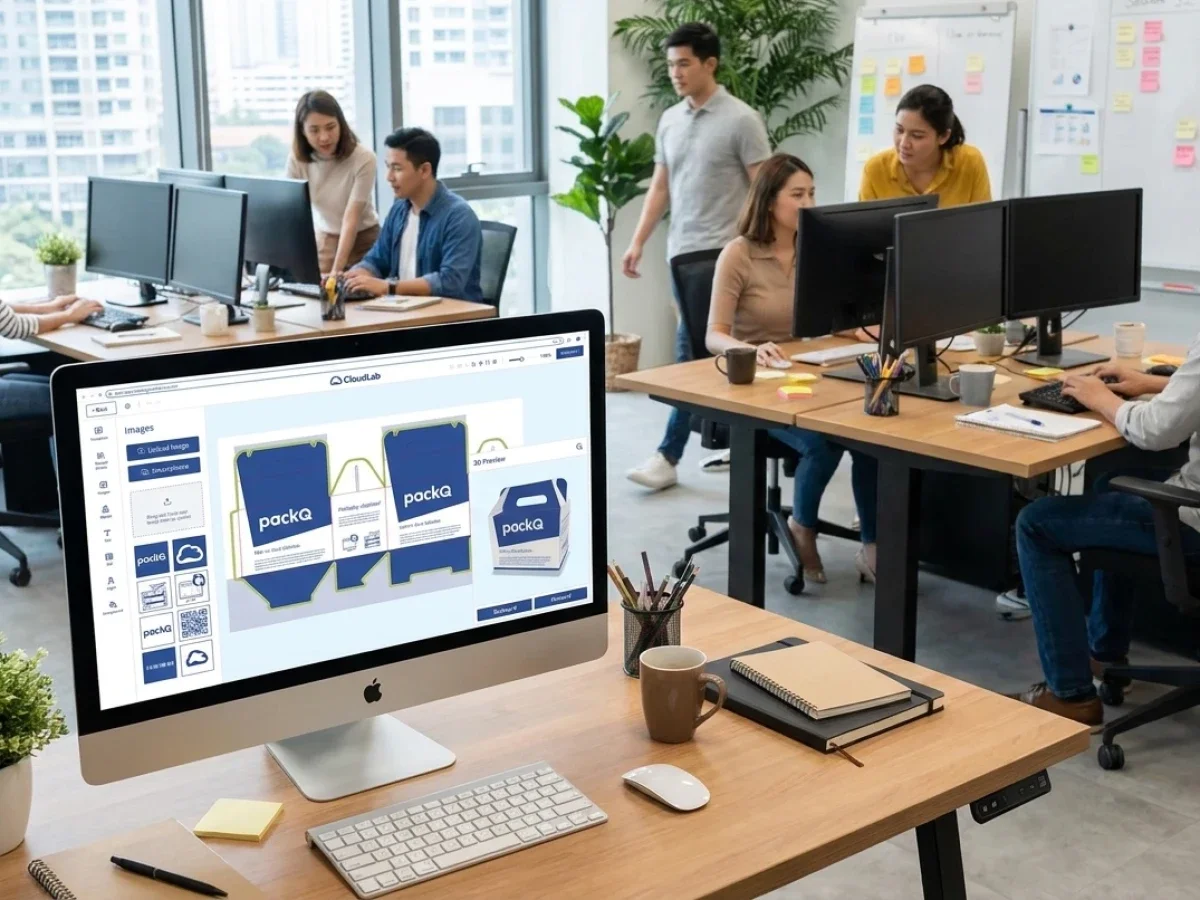
Shelf-Ready Packaging Design Software for Point-of-Sale Decisions
Shelf-ready packaging design software must support more than artwork placement. It must help teams evaluate how packaging behaves in a retail environment.
Shelf-ready packaging needs clear branding, strong front-facing communication, readable product information, and efficient handling in store operations. If the structure hides the message or the artwork does not align with visible surfaces, the packaging may be technically correct but commercially weak.
packQ helps bridge that gap by connecting structural packaging logic with 3D visualization. A shelf-ready tray, carton, shipping display, or POS unit can be reviewed as a packaging object, not only as a flat layout.
This is especially useful for marketing, retail, and brand teams that need approval confidence before production. They can check the shopper-facing surfaces, understand the relationship between structure and graphics, and approve the design with a clearer view of the final result.
For packaging manufacturers, this also improves the customer conversation. Instead of explaining structure through technical drawings alone, teams can show the packaging in a browser-based 3D environment. That speeds up decisions and reduces misunderstandings.
Interactive 3D Display Review vs Static Approval: Which Works Better for Retail Packaging?
Interactive 3D display review works better for retail packaging when structure, shopper-facing surfaces, shelf impact, and panel visibility affect approval. Static approval can support technical checks, but packQ’s 3D Packaging Designer gives brand owners, marketers, and packaging manufacturers a clearer browser-based view of displays and shelf-ready packaging before production.
Static approvals remain useful for detailed artwork review. They can help teams inspect text, colors, and layout. But retail packaging is not only a print surface. It is a physical communication tool.
Interactive 3D review allows teams to see how the display stands, where branding appears, which panels are visible, and how the structure presents the product. This matters for POS displays, retail trays, shelf-ready boxes, and promotional packaging.
For packaging manufacturers, interactive review reduces the risk of approval disputes. A customer can see the display in context before production. For brand owners, it improves decision quality because the approval is closer to the physical retail experience.
packQ also connects 3D review with production logic. The preview is part of a Web-to-Pack workflow that includes structural templates, Dynamic Preflight, pricing, and production-ready output. It is not a disconnected rendering used only for presentation.
Compared with post-approval preflight, Dynamic Preflight is more efficient because technical problems are detected before files move into production preparation. Compared with isolated visualization tools, packQ adds workflow integration through ERP/MIS connectivity and API-first architecture.
For retail packaging programs with frequent campaigns, variants, and short lead times, that integrated approach is more scalable than manual proof cycles.
How packQ Supports POS Displays and Retail Packaging Workflows
packQ supports retail packaging workflows by combining display visualization with packaging-specific automation. Its template logic includes folding cartons, corrugated packaging, and POS displays, which gives packaging teams a structured base for different retail formats.
The platform includes around 50 POS display models alongside its ECMA and FEFCO libraries. This is important because display packaging often requires more than a simple box structure. It needs presentation geometry, visible panels, stability, graphic placement, and production-ready output.
The 3D Packaging Designer gives users a browser-based way to review the display or packaging structure. Synchronized 2D and 3D workflows help teams connect artwork placement with the assembled result.
The AI Designer Suite supports artwork preparation inside the same workflow. Users can vectorize raster graphics, remove backgrounds, and improve image quality through Crispify, which supports up to 4× higher resolution. These tools are useful when retail campaigns involve many assets, agencies, local teams, or fast-changing promotional graphics.
Dynamic Preflight checks production-relevant data before handover. For displays and shelf-ready packaging, this helps prevent issues with resolution, color mode, bleed, and fonts from reaching prepress too late.
Variable Data Printing with PDF/VT extends the workflow to localized campaigns, personalized packaging, serial content, and batch-size-one production. For retail teams running regional promotions, this supports variation without forcing every version into a fully manual artwork process.
How Can Packaging Manufacturers Implement Online Display Visualization?
Packaging manufacturers can implement online display visualization by combining POS display templates, browser-based 3D review, Dynamic Preflight, approval rules, ERP/MIS integration, and production-ready PDF output. packQ supports this through Web-to-Pack automation, API-first architecture, REST, SOAP, JSON, ECMA/FEFCO libraries, POS display models, and production-safe workflows.
Implementation should begin with display and retail packaging types that create frequent approval uncertainty. These are often POS displays, shelf-ready trays, promotional cartons, retail shipping boxes, and branded corrugated displays.
The next step is to define what needs to be controlled. Structure, dimensions, material options, print areas, finishing, locked brand elements, and approval roles must be clear before customers or internal teams use the online workflow.
packQ can then connect the display templates with browser-based visualization. Users review the packaging or display in 3D, make approved design changes, and validate files through Dynamic Preflight before production output is generated.
A practical implementation path can follow this sequence:
- Select POS displays or shelf-ready packaging products with frequent approval cycles.
- Configure display templates, structural rules, print zones, materials, and finishing options.
- Define editable design areas, locked brand elements, and approval responsibilities.
- Enable browser-based 3D review through the 3D Packaging Designer.
- Activate Dynamic Preflight for resolution, color mode, bleed, font, and file checks.
- Connect order, pricing, and production data with ERP or MIS through REST, SOAP, or JSON-based APIs.
- Generate production-ready PDFs after visual approval and technical validation.
For technology teams, packQ’s headless API-first architecture matters because display workflows often need to connect with existing storefronts, B2B portals, ERP, MIS, prepress, and production systems.
For sales and customer service teams, online visualization improves communication. For prepress and production teams, validated output reduces late correction work.

Open-Shop and Closed-Shop Display Workflows
Display visualization can support both open-shop and closed-shop scenarios.
In an open-shop workflow, a packaging manufacturer may offer standardized retail packaging or display products to a broad customer base. The online workflow must guide users through configuration, visualization, validation, and ordering without allowing invalid production data.
In a closed-shop workflow, an enterprise customer may access approved display templates for recurring campaigns or regional promotions. The workflow must protect brand elements while allowing controlled changes to campaign text, graphics, language versions, or variable data.
packQ can support both scenarios because its Web-to-Pack workflow combines template control, 3D visualization, Dynamic Preflight, and production output. The same foundation can serve public-facing packaging sales and customer-specific portals.
For brand owners, this creates faster retail campaign execution. For packaging manufacturers, it creates more predictable approval and production workflows.
How Can Brand Owners Review Shelf-Ready Packaging and POS Displays Online Before Production?
Brand owners can review shelf-ready packaging and POS displays online before production by using packaging display visualization software that combines 3D previews, shelf-ready packaging design software workflows, Dynamic Preflight, approval rules, and production-ready PDF output. packQ supports this through Web-to-Pack configuration, POS templates, ECMA/FEFCO logic, and ERP/MIS integration.
The starting situation is usually a retail campaign with tight deadlines. Marketing needs to approve the visual impact. Packaging teams need to confirm structure and production feasibility. Prepress needs usable files. Production needs reliable output.
The technical requirement is a shared review workflow where design, structure, and validation happen together. A flat proof alone is not enough because display performance depends on assembled form, panel visibility, shelf presentation, and shopper-facing surfaces.
In packQ, the workflow begins with a display or retail packaging template. The brand team applies artwork, reviews the assembled packaging in 3D, checks the visible surfaces, and confirms whether key messages appear in the right places. Dynamic Preflight validates print-relevant file requirements before the project moves toward production.
A practical use case is a beverage brand preparing a regional POS display campaign. The central marketing team locks key brand elements, while regional teams adapt campaign messages or product imagery. The 3D preview shows the display as a retail object, Dynamic Preflight checks file quality, and packQ generates production-ready PDF output after approval.
The benefit for the brand owner is faster and more confident approval. The benefit for the packaging manufacturer is cleaner data and fewer late changes. The benefit for production is a clearer link between approved visualization and production-ready output.
packQ’s role is to make display review production-aware. It connects 3D visualization, structural templates, preflight validation, approval, and output in one Web-to-Pack workflow.
Why Display Visualization Needs Production-Ready Output
A realistic 3D preview is useful, but it is not enough by itself. Retail packaging workflows need a direct path from approved visualization to production-ready data.
If a display is approved visually but must be rebuilt manually for production, the workflow still contains risk. Manual reconstruction can introduce errors, slow down delivery, and create uncertainty between customer approval and final output.
packQ reduces this gap by connecting visualization with production-ready PDF generation. The same workflow that supports configuration and approval also prepares data for prepress and production.
For packaging manufacturers, this protects efficiency. For brand owners, it protects approval confidence. For technology teams, it creates a cleaner data chain from online review to ERP/MIS and production systems.
This is especially important for fast retail campaigns, where late changes are common and production timelines are compressed.
Optimizing through Packaging display Visualization
Packaging display visualization software helps packaging manufacturers, brand owners, marketing teams, and retail packaging producers review displays and shelf-ready packaging online before production. packQ by CloudLab supports this through Web-to-Pack workflows, POS display templates, ECMA and FEFCO logic, the 3D Packaging Designer, synchronized 2D/3D design, Dynamic Preflight, AI Designer Suite tools, PDF/VT personalization, API-first integration, and production-ready PDF output.
The core value is approval confidence with production safety. packQ connects display visualization, structural packaging logic, artwork validation, and output generation in one workflow. For retail displays, shelf-ready packaging, promotional campaigns, and customer-specific packaging portals, this helps teams reduce approval uncertainty, avoid late prepress corrections, and move from online review to production more reliably.
Retail displays and shelf-ready packaging need more than flat artwork approval. packQ by CloudLab supports online display visualization through Web-to-Pack workflows, POS display templates, ECMA/FEFCO structures, synchronized 2D/3D design, Dynamic Preflight, AI-supported artwork preparation, ERP/MIS integration, and production-ready PDF output. For packaging manufacturers, brand owners, and marketing teams, packQ helps validate visual impact, approval quality, and production readiness before display packaging enters production.

.webp)