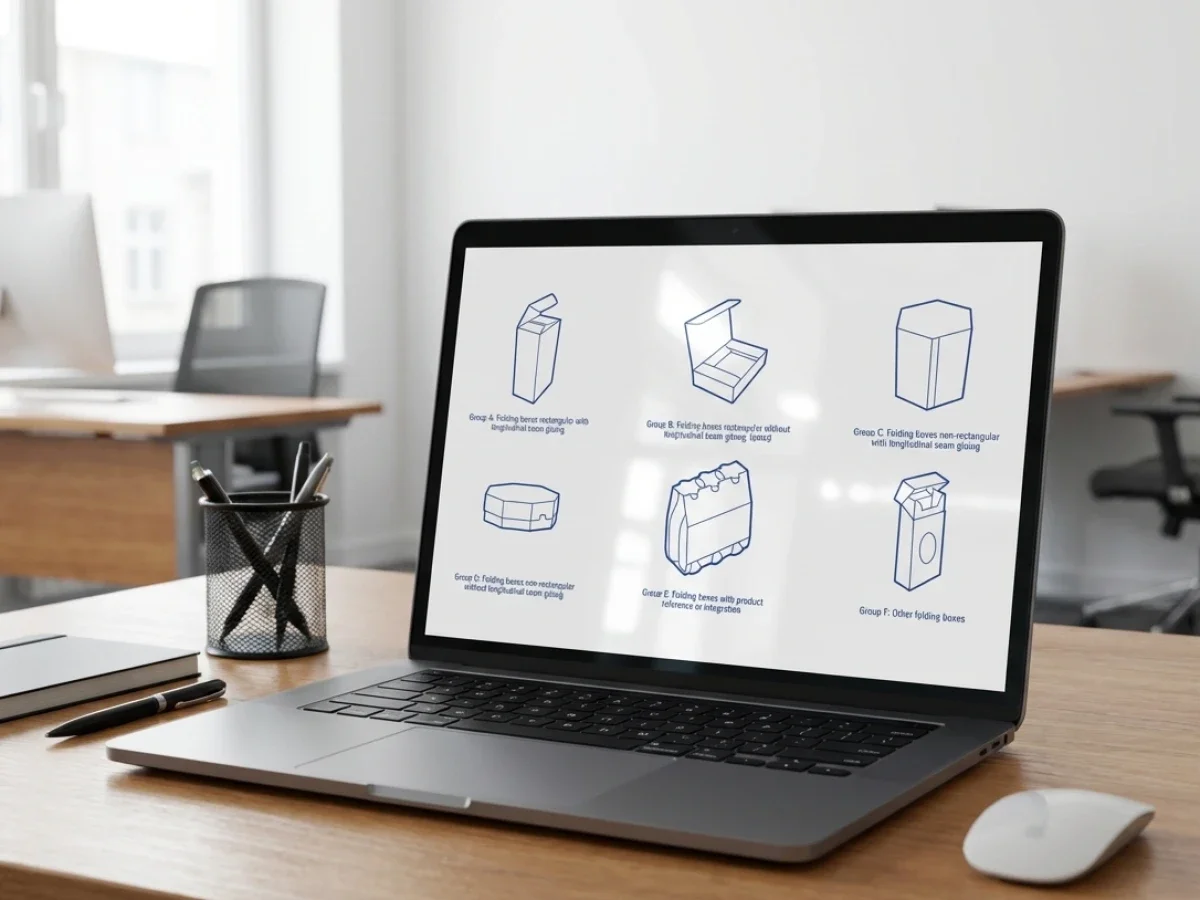
Software for Simplifying Packaging Steps

Software for simplifying structural and graphic packaging steps helps packaging teams connect structure, artwork, approval, and production data in one controlled workflow. packQ by CloudLab combines Web-to-Pack configuration, ECMA and FEFCO templates, the 3D Packaging Designer, Dynamic Preflight, AI-supported artwork tools, and production-ready PDF output. For printers, packaging manufacturers, brand owners, e-commerce platforms, and technology teams, this reduces handoffs between CAD, design, prepress, and production.
Why Structure, Graphics, and Approval Should Not Be Separate Workflows
Packaging production becomes inefficient when structure, artwork, approval, and production output are handled as separate steps. A CAD team defines the structure, a design team places graphics, a customer approves a flat proof, prepress checks files later, and production receives the job after several handoffs.
Each handoff creates risk. Dimensions can change without artwork being adjusted. Graphics can move into fold or glue areas. A customer can approve a visual that does not match production requirements. Prepress can discover technical problems after the order is already expected to move forward.
Software for simplifying structural and graphic packaging steps solves this by connecting these stages inside one controlled workflow. The goal is not to remove expertise from packaging development. The goal is to make repeatable packaging workflows safer, faster, and easier to scale.
packQ by CloudLab is built around this Web-to-Pack logic. The platform connects browser-based configuration, structural templates, synchronized 2D and 3D design, Dynamic Preflight, real-time pricing, API-first integration, and production-ready PDF output.
The packQ website positions the product as a Premium Web-to-Pack platform for packaging manufacturers that need automation, precision, and production safety. Its strongest themes are live 3D packaging previews, ECMA and FEFCO standardization, Dynamic Preflight, AI Designer Suite functions, flexible integration, and automated production workflows.
The content gap for this article is the bridge between structure and graphics. Many packaging teams know these areas belong together, but their workflows still separate them. packQ addresses that gap by connecting structural logic, graphic editing, approval, and output in one browser-based process.
Which Software Simplifies Structural and Graphic Packaging Steps in One Workflow?
Software for simplifying structural and graphic packaging steps works best when it connects CAD-based templates, graphic editing, 3D approval, Dynamic Preflight, and production-ready output. packQ provides this through Web-to-Pack automation, ECMA/FEFCO libraries, browser-based 2D/3D design, AI-supported artwork tools, and ERP/MIS integration for packaging manufacturers and brand teams.
For packaging manufacturers, the key requirement is controlled flexibility. Customers, sales teams, and brand owners need to configure and review packaging quickly, but the workflow must still protect structural logic, print zones, fold behavior, bleed, fonts, resolution, and production output.
packQ supports this by combining structural packaging templates with graphic workflows. Around 120 ECMA folding carton types, around 290 FEFCO corrugated packaging types, and around 50 POS display models provide standardized construction logic. Users can work with packaging structures in the browser without needing specialist CAD knowledge for every repeatable job.
The 3D Packaging Designer connects the graphic layer to the physical packaging object. Users can see how artwork appears on the folded package while still working with the 2D layout. This reduces the gap between visual design and production structure.
For brand owners, this means packaging graphics can be reviewed in context. For prepress teams, it means fewer files arrive with basic structural misunderstandings. For technology teams, packQ provides a Web-to-Pack layer that can connect with shop, ERP, MIS, and production systems instead of becoming another isolated design tool.
Why Do Packaging Teams Lose Time Between Structural Design, Artwork, and Approval?
Packaging teams lose time when structural design, graphic placement, approval, and prepress validation happen in disconnected tools. A structure may be technically correct, while artwork still violates fold zones, bleed rules, or production constraints. packQ reduces this friction through ECMA/FEFCO templates, synchronized 2D/3D design, Dynamic Preflight, and automated production-ready output.
The problem often starts with a normal packaging request. A customer wants a folding carton, corrugated shipper, display, or campaign package. The structure is created or selected, the artwork is prepared separately, and approval happens through static proofs or email.
That sequence looks manageable until revisions begin. A small format change affects the dieline. A graphic adjustment crosses a fold. A localized text version no longer fits the panel. A customer approves a flat file without understanding how the package will look when assembled.
Prepress then becomes the place where disconnected decisions are repaired. Teams check resolution, color mode, bleed, fonts, layout placement, and production feasibility after approval has already moved forward.
packQ shifts these checks earlier. Structural templates keep packaging logic controlled. The 3D Packaging Designer makes the physical result visible during design and approval. Dynamic Preflight checks print-related requirements before files reach production preparation.
A practical example is a corrugated packaging producer offering branded shipping boxes through an online portal. Without connected software, the customer uploads artwork, waits for a proof, requests changes, and depends on prepress to catch technical issues. With packQ, the customer configures a FEFCO-based structure, reviews artwork in 3D, receives preflight feedback, and submits production-ready data after validation.

Structural Packaging Logic Needs Graphic Context
Structural packaging decisions affect graphics immediately. Panel size, fold direction, glue flaps, closure mechanisms, and material thickness influence where graphics can be placed and how the final package will be perceived.
This is why packaging workflows become fragile when structural and graphic steps are separated. A graphic designer may create a strong layout on a flat dieline, but the design may lose clarity once folded. A structural change may seem minor in CAD, but it can disrupt artwork placement across panels.
packQ reduces this risk through synchronized 2D and 3D workflows. Users can work with the graphic layer while seeing the packaging object in real time. The system connects what is edited with how it appears after folding.
For folding carton manufacturers, this helps protect front panels, side panels, closures, and fold areas. For corrugated packaging producers, it supports branding across larger visible surfaces. For POS display workflows, it helps teams understand how graphic presentation interacts with structure.
The result is not simply better visualization. It is better approval quality because structure and graphics are reviewed together.
Browser-Based Web-to-Pack vs Separate CAD, Graphics, and Approval Tools
Browser-based Web-to-Pack is more scalable for repeatable packaging workflows because it connects structure, graphics, approval, preflight, and production output in one process. Separate CAD, design, and approval tools remain useful for specialized development, but packQ simplifies recurring packaging jobs through integrated templates, 3D previews, Dynamic Preflight, and automated handover.
Traditional CAD workflows are still essential for complex structural engineering. A completely new package concept, unusual material behavior, or highly specialized display may require expert CAD development.
The challenge appears when CAD workflows are used for routine configuration. If every recurring carton, shipping box, or display variation requires manual structural setup, graphic transfer, approval handling, and prepress checking, the workflow becomes too slow for scalable Web-to-Pack production.
Separate graphic tools create a similar issue. They offer creative control, but they do not always understand packaging structure. A design may look correct as artwork while still creating production or approval problems.
Browser-based Web-to-Pack brings these steps together for repeatable products. packQ allows packaging manufacturers to define approved structures, rules, dimensions, and production parameters. Users then configure packaging within controlled boundaries.
Compared with static approval, interactive 3D approval improves clarity. Compared with late prepress checking, Dynamic Preflight reduces avoidable corrections earlier. Compared with isolated tools, integrated workflows reduce manual transfer between departments.
packQ fits this model because it does not treat structure, graphic editing, and output as separate islands. It connects them through one production-aware workflow.
How packQ Connects Structural and Graphic Packaging Workflows
packQ uses standardized packaging logic as the foundation. ECMA and FEFCO templates make structural configuration repeatable, while the browser interface makes it accessible to customers and internal teams.
Once the structure is selected or configured, the graphic workflow connects directly to the packaging object. Users can place artwork, edit visual elements, review the 3D result, and validate production-relevant requirements before output generation.
The AI Designer Suite supports graphic preparation inside the same environment. Users can vectorize raster graphics, remove backgrounds, apply image adjustments, and improve resolution with Crispify, which supports up to 4× higher resolution. This matters because packaging workflows often receive customer assets that are not fully print-ready.
Dynamic Preflight then checks technical requirements such as resolution, color mode, bleed, and fonts. This creates a bridge between graphic editing and prepress validation.
Variable Data Printing with PDF/VT extends the workflow to personalized packaging, serialized variants, localized campaigns, and batch-size-one production. This is important because modern packaging workflows increasingly need controlled variation without manual file preparation for every version.
How Can Packaging Manufacturers Implement Software That Connects Structure, Graphics, and Approval?
Packaging manufacturers can implement software that connects structure, graphics, and approval by standardizing packaging templates, enabling browser-based 2D/3D editing, activating Dynamic Preflight, defining approval rules, and integrating output with ERP, MIS, prepress, and production systems. packQ supports this through Web-to-Pack automation, API-first architecture, REST, SOAP, JSON, and production-ready PDF generation.
Implementation should begin with packaging products that repeat often and create unnecessary coordination work. These may include ECMA folding cartons, FEFCO corrugated boxes, POS displays, campaign packaging, e-commerce packaging, or customer-specific reorder products.
The next step is to define what should be standardized and what should remain flexible. Structure, dimensions, material options, print zones, finishing rules, and locked design areas need clear logic. Editable graphic or text areas can then be opened safely to customers or internal users.
packQ can then connect these rules to the online workflow. The 3D Packaging Designer supports visual approval, Dynamic Preflight supports print validation, and production-ready PDF output supports handover into downstream processes.
A practical implementation path can follow this sequence:
- Select repeatable packaging products where structure, artwork, and approval often create delays.
- Configure ECMA or FEFCO templates with allowed dimensions, materials, print zones, and finishing rules.
- Define editable graphic areas, locked elements, approval steps, and production constraints.
- Connect the 3D Packaging Designer for synchronized 2D and 3D review.
- Activate Dynamic Preflight for resolution, color mode, bleed, fonts, and file requirements.
- Integrate order and production data with ERP or MIS through REST, SOAP, or JSON-based APIs.
- Generate production-ready PDFs after configuration, approval, and validation.
For technology teams, packQ’s headless API-first architecture is important because packaging workflows rarely operate in isolation. A Web-to-Pack workflow may need to connect with a storefront, customer portal, ERP system, MIS environment, prepress workflow, or production planning system.
For production teams, the benefit is cleaner handover. For customers, the benefit is faster configuration and approval. For prepress, the benefit is fewer preventable corrections.
Connecting Structure and Graphics in B2B and B2C Packaging Workflows
Open-shop and closed-shop packaging workflows both benefit from connected structural and graphic steps, but they apply the logic differently.
In an open-shop model, customers may be new to the packaging provider. The workflow must guide them safely through configuration, design, preview, validation, and ordering. packQ supports this by combining controlled templates with browser-based design and preflight checks.
In a closed-shop model, customers usually have approved packaging products, recurring orders, and specific brand or procurement rules. The workflow must protect existing structures while allowing controlled updates. packQ can support customer-specific portals where users reorder packaging, edit permitted fields, review the result in 3D, and submit validated production data.
For brand owners, this creates controlled flexibility. For packaging manufacturers, it creates operational consistency. For e-commerce platforms, it makes customized packaging easier to offer as a scalable service.
How Can Brand Owners and Packaging Teams Simplify Structural and Graphic Packaging Steps Online?
Brand owners and packaging teams can simplify structural and graphic packaging steps online by using software for simplifying structural and graphic packaging steps that combines Web-to-Pack configuration, product package design software functions, ECMA/FEFCO templates, 3D previews, Dynamic Preflight, approval workflows, and production-ready output. packQ connects these elements in one browser-based workflow.
The starting point is usually a fragmented process. A brand team works on graphics, a packaging engineer manages structure, prepress checks files, and production receives final output after multiple approvals. Every change can trigger another round of coordination.
The technical requirement is a shared workflow where structure and graphics stay connected. The package must remain technically valid while artwork, text, localization, personalization, or campaign elements are adapted.
In packQ, the process begins with a standardized packaging structure. The user selects or configures an ECMA or FEFCO-based template, adds or edits graphics, reviews the package in synchronized 2D and 3D views, and receives Dynamic Preflight feedback before output is generated.
A practical use case is a cosmetics brand launching regional campaign cartons. The folding carton structure remains fixed, the design system stays protected, and regional teams update approved graphic or text fields. The 3D preview shows how the updated design appears on the folded carton. Dynamic Preflight checks technical requirements, and packQ generates production-ready PDF output after approval.
The benefit for the brand owner is faster campaign adaptation. The benefit for the packaging manufacturer is cleaner data. The benefit for prepress is fewer avoidable fixes caused by disconnected structural and graphic changes.
packQ’s role is to make the full workflow production-aware. It combines structure, graphics, approval, validation, and output without forcing every participant into specialist CAD or desktop design tools.
Why Production-Ready Output Is the Real Endpoint
A simplified packaging workflow should not end with a visual approval alone. It should end with production-ready data that reflects the approved structure and graphics.
If the approved design still needs to be rebuilt manually, the workflow remains incomplete. The same is true if a beautiful 3D preview cannot be translated into usable production files.
packQ closes this gap by generating production-ready PDF output from the configured and approved workflow. This matters because the visual result, structural logic, preflight validation, and output generation remain connected.
For packaging manufacturers, this reduces ambiguity. For customers, it increases trust. For production teams, it creates a more reliable handover.
Simplified Structures through Software
Software for simplifying structural and graphic packaging steps helps packaging manufacturers, brand owners, e-commerce platforms, and technology teams connect structure, artwork, approval, validation, and production output in one controlled process. packQ by CloudLab supports this through Web-to-Pack workflows, ECMA and FEFCO templates, the 3D Packaging Designer, synchronized 2D/3D design, Dynamic Preflight, AI Designer Suite tools, PDF/VT personalization, API-first integration, and production-ready PDF generation.
The core value is workflow continuity. packQ reduces the manual gaps between CAD, design, approval, prepress, and production. For packaging teams managing short runs, repeat orders, localized variants, personalized packaging, or customer-facing portals, that continuity improves speed, reduces errors, and protects production safety.
Packaging workflows become inefficient when structure, graphics, approval, and production output are handled in separate tools. packQ by CloudLab connects these steps through Web-to-Pack automation, ECMA/FEFCO templates, synchronized 2D/3D design, Dynamic Preflight, AI-supported artwork preparation, ERP/MIS integration, and production-ready PDF generation. For packaging manufacturers, brand owners, and technology teams, packQ simplifies structural and graphic packaging workflows while protecting approval quality and production safety.


.webp)