Product Packaging Design Software for Faster Launches
Product packaging design software is most valuable when it shortens the path from packaging idea to approved, production-ready output. For brand owners, printers, and packaging manufacturers, the main challenge is not only creating attractive packaging; it is managing reviews, file quality, standards, pricing, and production handoff without slowing the launch. packQ by CloudLab connects browser-based 3D design, ECMA and FEFCO structures, Dynamic Preflight, real-time pricing, and API-first integration in one Web-to-Pack workflow. That makes packaging design faster, more controlled, and safer for brand-critical launches.
Product Packaging Design Software Has Become a Launch System
Product packaging design software is no longer just a creative tool for building packaging visuals. For professional packaging operations, it has become a workflow layer between brand strategy, technical packaging design, approval management, prepress, and production.
That shift matters because packaging launches are rarely delayed by one single problem. Delays usually come from many small gaps: a missing artwork correction, unclear approval status, an outdated dieline, a manual price recalculation, or a file issue discovered too late.
For brand owners, these gaps affect market timing. For printers and packaging manufacturers, they affect throughput and margin. For e-commerce platforms, they affect customer experience. For technology teams, they create integration debt because packaging data moves through too many disconnected systems.
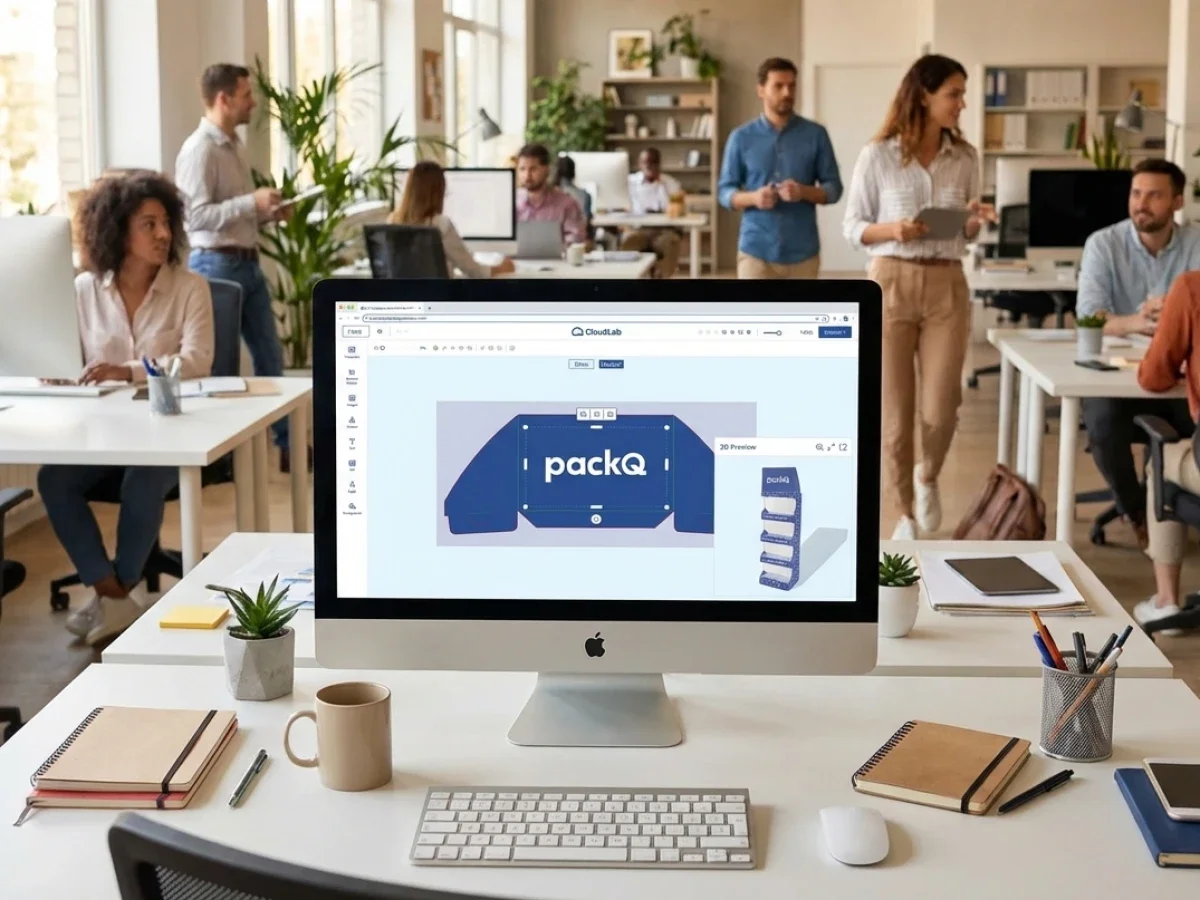
packQ addresses this as a Web-to-Pack platform rather than a standalone editor. The platform connects design, visualization, validation, pricing, and production-ready output in a browser-based workflow. That is the difference between making packaging look good on screen and making packaging ready for launch.
Why Faster Launches Depend on Controlled Packaging Workflows
A packaging launch can involve marketing, procurement, regulatory teams, prepress, production, and external packaging suppliers. Each group evaluates the package from a different angle. Marketing checks the brand impact. Procurement checks cost and repeatability. Prepress checks technical quality. Production checks whether the file can actually be manufactured.
When these checks happen in separate systems, launch speed suffers.
A flat proof may satisfy one team but leave another team with open questions. A design file may be visually approved but technically incomplete. A new SKU may be commercially approved but still require manual estimation. These are not edge cases. They are normal symptoms of fragmented packaging workflows.
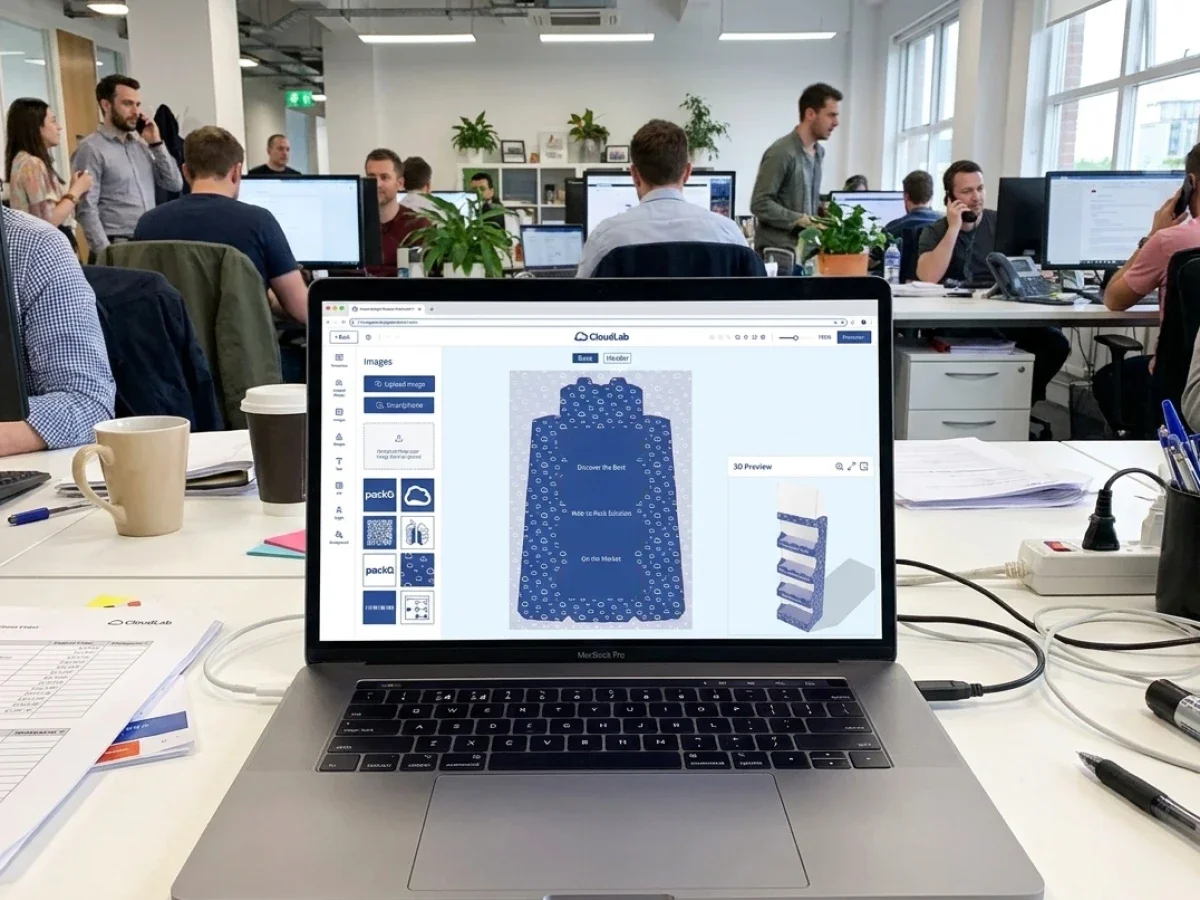
packQ reduces this fragmentation by moving key decisions into a connected environment. The 3D Packaging Designer gives stakeholders a realistic view of the package in the browser. Dynamic Preflight checks technical data before files move downstream. ECMA and FEFCO templates keep packaging structures aligned with production standards. Real-time pricing helps teams understand commercial consequences during configuration instead of after the fact.
This makes the launch process less dependent on manual interpretation.
Which Product Packaging Design Software Helps Brands Launch Packaging Faster?
Product packaging design software helps brands launch faster when it combines 3D approval, standardized packaging structures, automated file checks, pricing logic, and production-ready output. packQ supports this process by giving brand owners, printers, and packaging manufacturers a Web-to-Pack workflow that connects packaging design, Dynamic Preflight, ECMA/FEFCO templates, ERP/MIS integration, and production-safe PDF generation.
For brand owners, the practical value is speed with control. A faster launch is only useful if the approved packaging remains brand-compliant and production-safe. packQ supports this by creating a structured environment where users can configure packaging, review it in 3D, and validate print data before the order enters production.
For packaging manufacturers, the value is operational reliability. A customer-facing design workflow only works when the output can be used by prepress and production. packQ connects the approval process with the technical requirements behind it, which reduces the risk of approved designs becoming production problems.
The Brand Approval Problem
Brand approvals often fail because stakeholders do not review the same object. A marketing team may approve a visual mockup. A packaging engineer may review a technical layout. A print supplier may receive a file that differs from both.
That gap creates rework.
The issue becomes more serious when teams manage many SKUs, seasonal campaigns, regional variants, or pharmaceutical packaging with strict content requirements. In those environments, the approval process must be faster, but it also has to be more traceable.
packQ supports brand approval by turning packaging design into a controlled workflow. The browser-based interface helps non-CAD users inspect the package visually, while the underlying structure remains connected to standardized packaging logic and production data.
Software Packaging Design Workflows Need More Than Visual Editing
The phrase software packaging design often suggests artwork editing or 3D mockup creation. In professional environments, that is only one part of the job.
A packaging workflow must answer operational questions:
Can the chosen structure be produced?
Is the artwork placed correctly across panels?
Does the file meet resolution and color requirements?
Can the approved job move into ERP, MIS, prepress, and production without being rebuilt?
A standalone design tool may help with creative exploration, but launch execution requires more. The system must connect front-end design decisions with back-end production logic. This is where packQ’s Web-to-Pack architecture becomes relevant.
The platform is designed around packaging-specific requirements: synchronized 2D and 3D design, ECMA and FEFCO structures, real-time rendering, Dynamic Preflight, variable data workflows, live pricing, and API-first integration. These functions are valuable because they reduce the number of manual decisions required after approval.
Why Do Packaging Launches Get Delayed During Brand Approval?
Packaging launches get delayed when brand approval, artwork validation, pricing, and production checks happen in separate workflows. Teams may approve the visual design before technical issues such as bleed, resolution, color mode, fonts, or structural alignment are resolved. packQ reduces these delays through real-time 3D preview, Dynamic Preflight, standardized ECMA/FEFCO templates, and automated production-ready output.
For brand owners managing frequent product updates, the approval process becomes a bottleneck when each small change requires manual coordination. A new product variant may need updated artwork, a slightly different carton size, a new language version, or a campaign-specific graphic. None of these changes is unusual, but together they create a heavy workload.
The problem is not that teams lack expertise. The problem is that expertise is often applied too late.
Prepress teams discover technical issues after approval. Production teams receive specifications that require clarification. Sales teams answer pricing questions that could have been calculated automatically. The launch calendar then absorbs every delay.
packQ shifts validation earlier. The customer or internal user can review the package in 3D, correct issues during configuration, and submit cleaner data. This does not remove professional review where it is needed, but it reduces preventable correction loops.
Use Case: Multi-SKU Brand Launch
A consumer brand preparing a new product line may need packaging for several SKUs with similar structures and different artwork. In a traditional workflow, every variant moves through separate proofing, checking, and approval rounds.
With packQ, the brand or packaging supplier can define a controlled workflow around approved structures. Users select the correct packaging type, apply artwork, inspect the result in 3D, and validate technical requirements before submission. If Variable Data Printing is needed, PDF/VT support helps manage personalized or variant-based output without rebuilding every file manually.
The result is not just faster design. It is a more reliable launch path from approved concept to production-ready data.
How 3D Approval Protects Brand Decisions
Brand approval is partly emotional and partly technical. A package has to look right, but it also has to fold, print, and function correctly.
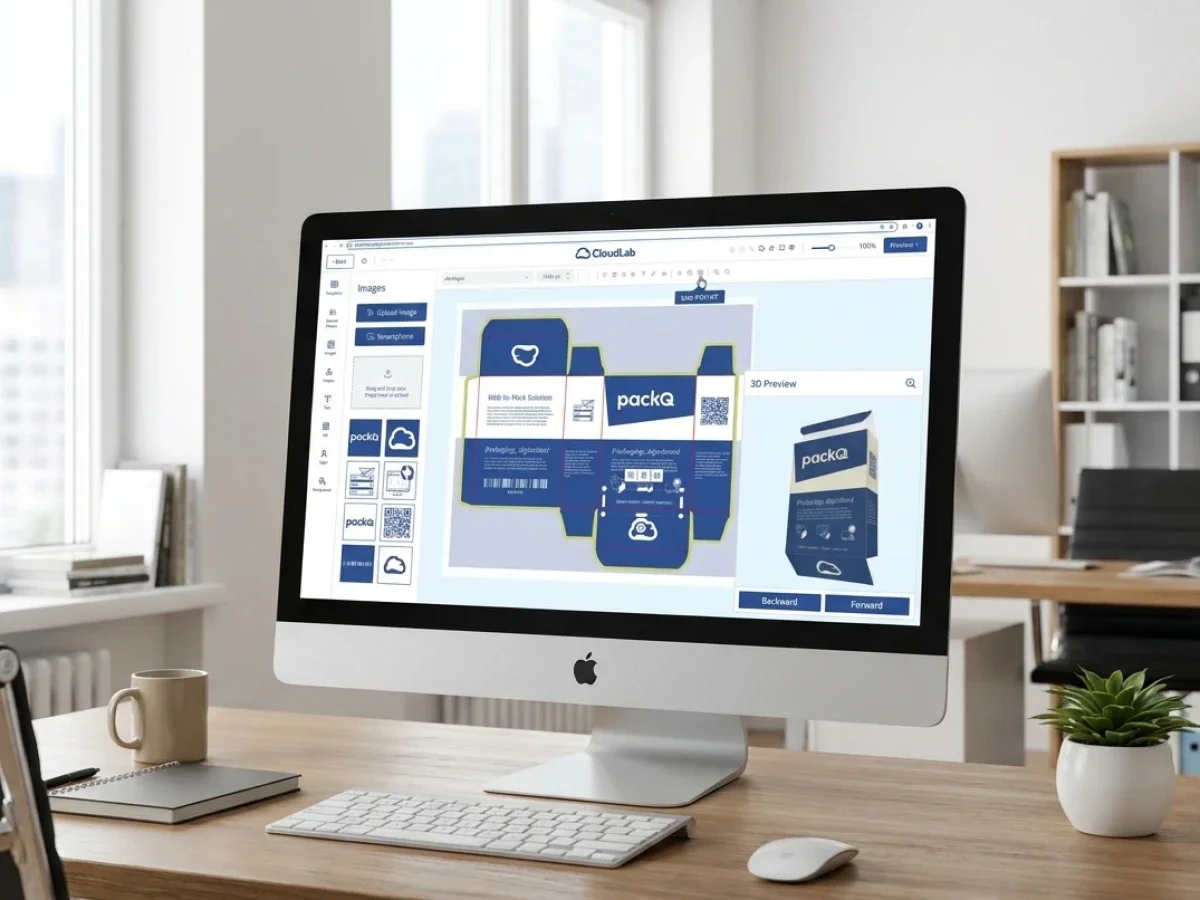
This is where browser-based 3D review has a practical role. It helps stakeholders understand the package as a finished object instead of interpreting a flat layout. A front panel, side panel, lid, flap, or closing area becomes easier to evaluate when the design is shown on the constructed package.
packQ’s 3D Packaging Designer supports synchronized 2D and 3D design. When users adjust artwork or text in the layout, the 3D preview reflects the change. That connection matters for approvals because it gives teams a shared reference point.
For marketing teams, the benefit is visual clarity. For prepress teams, it reduces ambiguity around placement. For production teams, it supports cleaner handoff because the visual approval remains tied to a structured packaging workflow.
ECMA and FEFCO Standards Reduce Launch Risk
Fast packaging launches need controlled flexibility. Teams need enough freedom to adapt dimensions, artwork, and variants, but not so much freedom that each order becomes a custom engineering project.
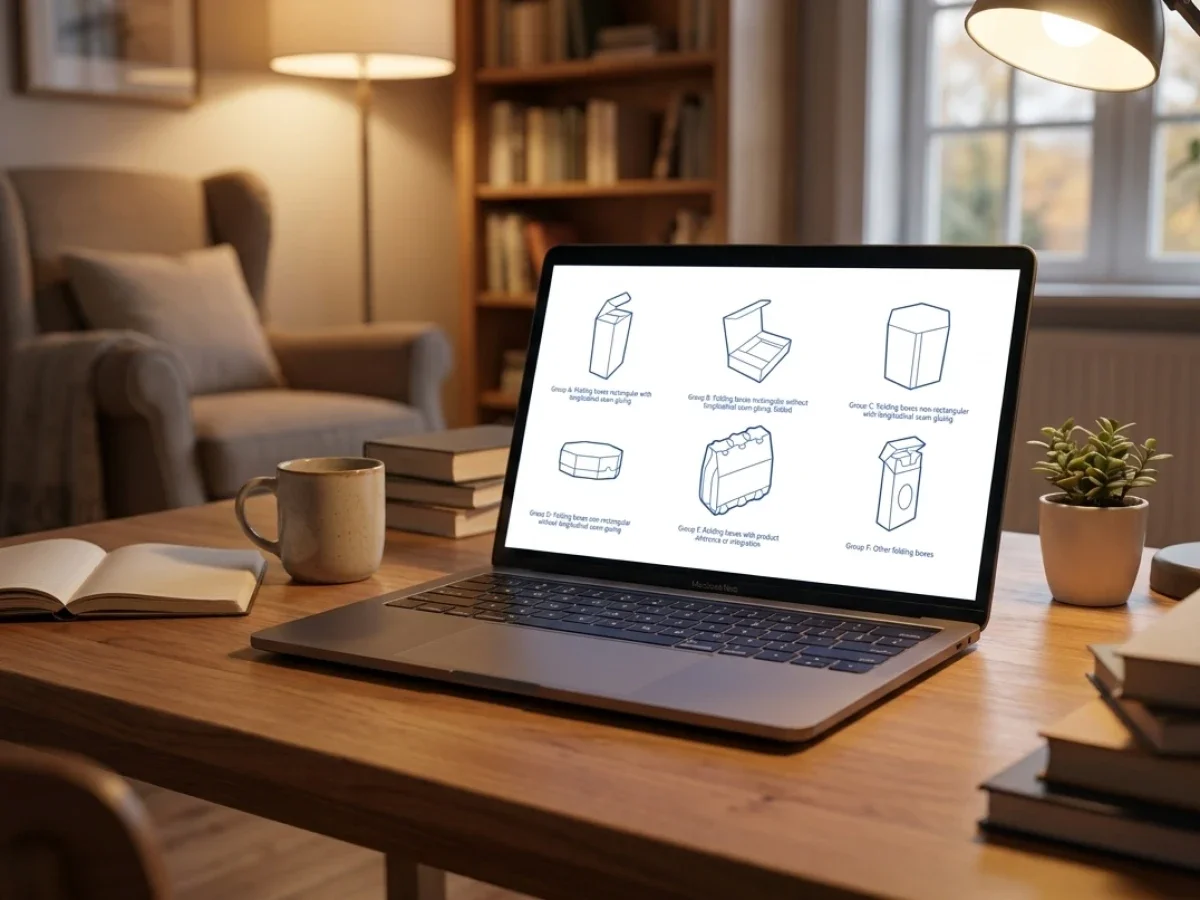
ECMA and FEFCO standards solve part of this problem by providing recognized packaging structures. packQ integrates these standards into the online workflow with approximately 120 ECMA folding carton types, approximately 290 FEFCO corrugated packaging types, and approximately 50 POS display models.
This is not just a large template library. It is a production strategy.
When users configure packaging from standardized structures, the design process becomes easier to automate. The customer or internal user can work within validated options, while the system maintains the structural logic needed for output.
For folding carton manufacturers, this improves repeatability. For corrugated producers, it supports scalable configuration. For brand owners, it creates confidence that the selected packaging structure is not just visually appealing but technically grounded.
Browser-Based Web-to-Pack vs. Standalone Design Tools
Browser-based Web-to-Pack is stronger than standalone design tools when packaging design must connect brand approval, preflight validation, price calculation, and production output. Standalone tools can support creative design or visualization, but they often require manual transfer into production systems. packQ combines packaging-specific design, 3D approval, Dynamic Preflight, and ERP/MIS integration in one connected workflow.
A standalone design tool can be useful during concept development. It may help teams explore visual directions, create mockups, or prepare early ideas. That stage has value, especially for creative teams.
The limitation appears when the approved design must become a production order.
At that point, the workflow needs structural accuracy, print validation, commercial logic, and system integration. A mockup alone cannot provide these requirements. A file that looks correct may still lack bleed, use unsuitable image resolution, contain font issues, or require manual conversion before production.
packQ fits the later, more operational stage of packaging design. It does not treat visual design as separate from production readiness. Instead, it connects the design experience with packaging standards, Dynamic Preflight, real-time pricing, and production-safe PDF output.
Web-to-Print vs. Web-to-Pack
Web-to-Print workflows are usually built around flat print products. Packaging adds structural complexity. A carton, mailer, or display is not only a printed surface; it is a physical object with folds, closures, panels, and material behavior.
Web-to-Pack has to manage that complexity.
packQ focuses on packaging rather than generic print customization. This focus matters because the approval process must reflect the final three-dimensional object. It also matters because production output must include packaging-specific data, not just print artwork.
For decision-makers, the comparison is simple. Web-to-Print is suitable for many flat print applications. Web-to-Pack is required when packaging structure, 3D approval, and production-safe packaging output are central to the workflow.
Dynamic Preflight Makes Brand Approval Safer
A brand-approved file is not automatically a production-ready file. That distinction is critical.
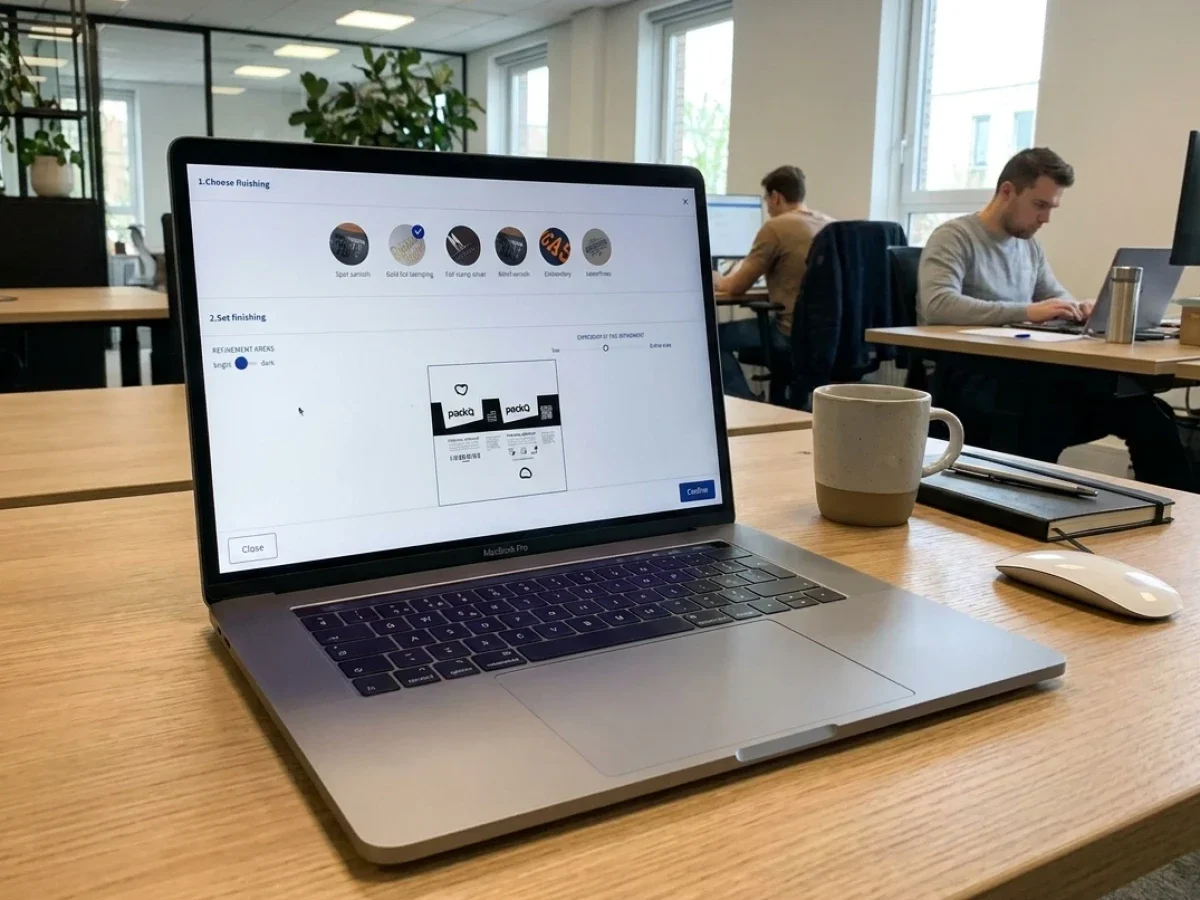
Dynamic Preflight helps close the gap by checking technical requirements during the design and ordering process. In packQ, this includes checks such as resolution, color mode, bleed, and fonts. These checks help identify problems before the job reaches the later stages of prepress or production.
For brand teams, this creates a smoother approval experience because errors are flagged earlier. For packaging manufacturers, it reduces the volume of preventable corrections. For prepress teams, it protects capacity by minimizing routine file repair.
The timing is the key advantage. A file issue discovered after approval creates delay. A file issue discovered during configuration can be fixed before the job enters the production queue.
AI Designer Suite and Brand Asset Quality
Many packaging launches involve imperfect assets. A logo may arrive as a low-resolution image. A product photo may need a clean background. A graphic may need to be sharpened before print.
These small issues can slow launch workflows when they require external editing or manual prepress intervention.
packQ’s AI Designer Suite addresses this inside the browser. Vectorization helps convert raster elements into cleaner graphics. Crispify improves image resolution with 4× higher output. Background removal helps prepare visuals more quickly for packaging layouts.
The value is not that AI replaces professional design work. The value is that common asset problems can be resolved earlier in the workflow.
For e-commerce sellers and smaller brands, that lowers the barrier to professional packaging. For larger brand owners, it reduces the number of small corrections that slow down routine packaging updates.
How Do You Implement Product Packaging Design Software in a Brand Approval Workflow?
Product packaging design software should be implemented by mapping the full approval path from design input to production output. With packQ, brand owners and packaging manufacturers can connect shop, ERP, MIS, prepress, and production systems through an API-first and headless Web-to-Pack architecture using REST, SOAP, or JSON where relevant. This keeps design approval linked to validated production data.
The implementation should start with governance. A brand approval workflow needs clear rules for who can edit, who can approve, which templates are available, and which production requirements must be checked before submission.
Once these rules are defined, technology teams can build the system around them.
A practical implementation usually follows this sequence:
- Define packaging families, such as folding cartons, corrugated boxes, displays, or flexible packaging.
- Assign approved ECMA or FEFCO structures where standardization is possible.
- Configure brand templates, editable areas, and approval permissions.
- Connect 2D editing with real-time 3D review.
- Apply Dynamic Preflight rules for resolution, color mode, bleed, fonts, and file quality.
- Connect pricing logic to configuration options.
- Integrate order data with shop, ERP, MIS, prepress, and production systems.
- Generate production-ready PDFs and relevant production data after approval.
The purpose is not to create another design environment. The purpose is to create a controlled launch workflow.
Implementation Example: Brand Owner and Packaging Supplier
A brand owner with frequent product launches may use a closed portal for approved packaging lines. The packaging supplier maintains structural templates and production settings. The brand team works within approved design areas and reviews packaging in 3D before submission.
When the brand approves the design, packQ can support the transition into production by validating files, calculating prices, and generating production-safe output. ERP and MIS integration can then carry order data into the operational workflow without requiring manual re-entry.
This approach gives each team a cleaner role. Brand teams control content and approval. Packaging manufacturers control production rules. Technology teams maintain integration across systems.
Open-Shop and Closed-Shop Launch Models
Product packaging design software has to support different commercial models. Open-shop and closed-shop workflows solve different problems, and many packaging manufacturers need both.
An open shop supports broad online ordering. It is useful for start-ups, e-commerce sellers, small brands, and buyers who need packaging without a long sales process. The emphasis is accessibility, clear configuration, automated pricing, and fast approval.
A closed shop supports controlled ordering for specific customers. It is useful for brand owners, pharmaceutical companies, industrial buyers, and enterprise accounts with recurring packaging needs. The emphasis is governance, brand control, repeatability, and integration with procurement or ERP systems.
packQ can support both models because it is designed as a scalable Web-to-Pack platform. That flexibility is important for packaging manufacturers that want to serve small online customers while also supporting enterprise accounts with stricter approval requirements.
How Can Brand Owners Use Product Packaging Design Software for Faster and Safer Launches?
Brand owners can use product packaging design software to accelerate launches by standardizing packaging structures, controlling editable brand areas, reviewing designs in 3D, validating artwork before approval, and generating production-ready data. With packQ, this workflow can include ECMA/FEFCO templates, Dynamic Preflight, browser-based design, real-time pricing, PDF/VT personalization, and ERP/MIS integration.
Starting Situation
A brand owner manages frequent packaging updates across multiple SKUs, markets, or campaign versions. Marketing needs speed. Procurement needs cost visibility. Regulatory or brand teams need control. The packaging supplier needs clean files and reliable production data.
If every update moves through email, static proofs, and manual checks, launch speed declines. The process becomes dependent on coordination rather than workflow design.
Technical Requirement
The brand needs a controlled environment where users can modify packaging without breaking production rules. That means approved templates, limited editing rights, visual review, technical file checking, and reliable handoff to the supplier.
For packaging manufacturers, the system must also protect output quality. A faster customer portal only works if the resulting files are usable in production.
Workflow in packQ
In packQ, the brand or supplier can define packaging structures based on ECMA or FEFCO standards. Users work in a browser-based editor, apply approved brand assets, and inspect the result through synchronized 2D and 3D views.
Dynamic Preflight checks file quality before approval. If personalization is required, PDF/VT supports variable data output. Real-time pricing can show the commercial effect of quantity, format, or configuration changes. Once approved, production-ready PDFs and order data can move into connected systems.
Benefit for Launch and Production
The launch process becomes faster because fewer decisions happen outside the workflow. Brand approval becomes safer because users see the finished package in 3D and work within controlled templates. Production becomes more reliable because the approved output is validated before handoff.
For brand owners, the main benefit is controlled speed. For packaging manufacturers, the main benefit is cleaner incoming work. For technology teams, the main benefit is a scalable system architecture that can connect with existing ERP, MIS, shop, and production environments.
Variable Data Printing and Batch Size One
Launch speed is not only about releasing one package faster. Many brands now need more variants, smaller runs, localized campaigns, and personalized packaging.
Manual file preparation does not scale well in that environment.
packQ supports Variable Data Printing with PDF/VT, which makes it possible to manage personalized or variant-based packaging output more efficiently. This is especially relevant for campaign packaging, regional versions, serialized packaging, and batch-size-one production models.
For marketing teams, this creates more room for targeted packaging concepts. For packaging manufacturers, it supports new short-run and personalization services without making every variant a manual prepress project.
API-First Integration Turns Design Into Operational Data
Packaging design becomes more valuable when it feeds operational systems cleanly. This is why API-first architecture matters.
packQ is built to integrate with existing environments rather than forcing companies to rebuild their entire system landscape. Through headless and API-first architecture, organizations can connect packaging portals with shop systems, ERP, MIS, prepress workflows, and production environments.
REST, SOAP, and JSON can be relevant depending on the technology stack. The practical goal is straightforward: packaging data should not be copied manually from one system to another.
When integration works well, approved design data, order data, pricing data, and production output move together. That reduces administrative effort and improves process reliability.
Why Product Packaging Design Software Defines Launch Readiness
Product packaging design software now defines launch readiness because packaging approval has become inseparable from production safety, brand control, and workflow integration. A package is not ready for launch when it looks good in a mockup. It is ready when the structure is valid, the artwork is approved, the file has passed relevant checks, the price is clear, and production can use the output without rebuilding the job.
packQ from CloudLab supports this connected model through Web-to-Pack automation, browser-based 3D design, ECMA and FEFCO standards, Dynamic Preflight, AI Designer Suite tools, PDF/VT personalization, real-time pricing, and API-first ERP/MIS integration.
For brand owners, packQ helps make approvals faster and safer. For printers and packaging manufacturers, it reduces manual correction loops and supports scalable production. For technology teams, it provides a structured platform for integrating packaging design into broader digital workflows.
The central point is simple: faster launches require more than faster design. They require a packaging workflow where approval, validation, and production readiness move together.
Product packaging design software is becoming a launch-critical system for brands, printers, and packaging manufacturers. It explains how packQ connects browser-based 3D design, ECMA and FEFCO structures, Dynamic Preflight, AI-supported artwork optimization, real-time pricing, PDF/VT personalization, and ERP/MIS integration into one Web-to-Pack workflow. The focus is on faster launches, safer brand approvals, cleaner production data, and fewer manual correction loops. For teams managing many SKUs, campaign variants, or customer portals, packQ provides a practical framework for turning packaging design into production-ready execution.